- Sort Score
- Num 10 results
- Language All
Results 521 - 530 of 1,000 for imag (0.03 seconds)
-
docs/de/docs/features.md
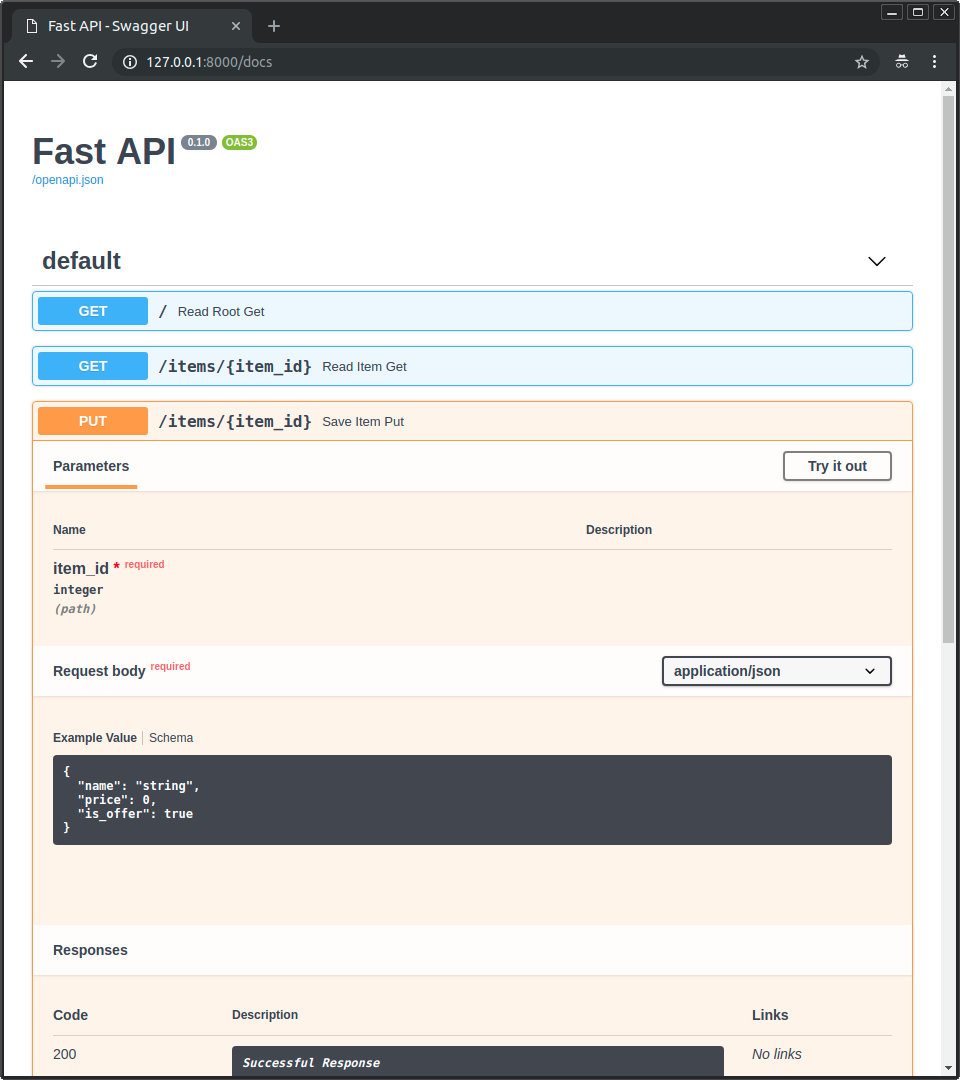 * Alternative API-Dokumentation mit [**ReDoc**](https://github.com/Rebilly/ReDoc). 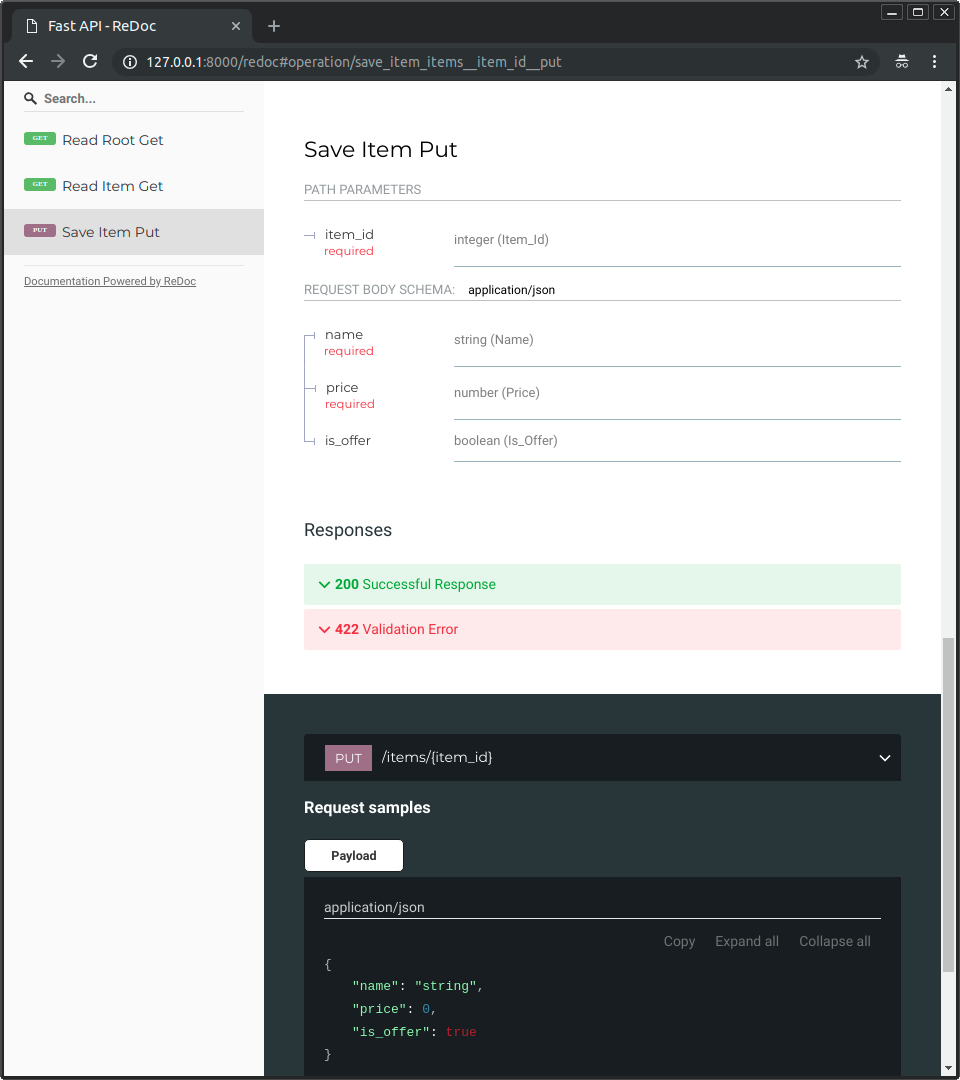 ### Nur modernes Python { #just-modern-python }
Created: Sun Apr 05 07:19:11 GMT 2026 - Last Modified: Thu Mar 19 17:58:09 GMT 2026 - 10.3K bytes - Click Count (0) -
docs/ko/docs/tutorial/metadata.md
{* ../../docs_src/metadata/tutorial001_py310.py hl[3:16, 19:32] *}

/// tip | 팁

`description` 필드에 마크다운을 사용할 수 있으며, 출력에서 렌더링됩니다.

///

이 구성을 사용하면 문서 자동화(로 생성된) API 문서는 다음과 같이 보입니다:

<img src="/img/tutorial/metadata/image01.png">

## 라이선스 식별자 { #license-identifier }

OpenAPI 3.1.0 및 FastAPI 0.99.0부터 `license_info`에 `url` 대신 `identifier`를 설정할 수도 있습니다.

예:
Created: Sun Apr 05 07:19:11 GMT 2026 - Last Modified: Fri Mar 20 14:06:26 GMT 2026 - 6.6K bytes - Click Count (0) -
docs/uk/docs/tutorial/schema-extra-example.md
{* ../../docs_src/schema_extra_example/tutorial003_an_py310.py hl[22:29] *}

### Приклад у UI документації { #example-in-the-docs-ui }

За допомогою будь-якого з наведених вище методів це виглядатиме так у `/docs`:

<img src="/img/tutorial/body-fields/image01.png">

### `Body` з кількома `examples` { #body-with-multiple-examples }

Звичайно, ви також можете передати кілька `examples`:
Created: Sun Apr 05 07:19:11 GMT 2026 - Last Modified: Thu Mar 19 18:27:41 GMT 2026 - 13.3K bytes - Click Count (0) -
docs/fr/docs/tutorial/schema-extra-example.md
### Exemple dans l'interface des documents { #example-in-the-docs-ui }

Avec l'une des méthodes ci-dessus, cela ressemblerait à ceci dans le `/docs` :

<img src="/img/tutorial/body-fields/image01.png">

### `Body` avec plusieurs `examples` { #body-with-multiple-examples }

Vous pouvez bien sûr aussi passer plusieurs `examples` :
Created: Sun Apr 05 07:19:11 GMT 2026 - Last Modified: Thu Mar 19 18:37:13 GMT 2026 - 10.2K bytes - Click Count (0) -
docs/es/docs/tutorial/schema-extra-example.md
### Ejemplo en la interfaz de documentación { #example-in-the-docs-ui }

Con cualquiera de los métodos anteriores se vería así en los `/docs`:

<img src="/img/tutorial/body-fields/image01.png">

### `Body` con múltiples `examples` { #body-with-multiple-examples }

Por supuesto, también puedes pasar múltiples `examples`:
Created: Sun Apr 05 07:19:11 GMT 2026 - Last Modified: Thu Mar 19 18:15:55 GMT 2026 - 9.5K bytes - Click Count (0) -
docs/pt/docs/tutorial/schema-extra-example.md
{* ../../docs_src/schema_extra_example/tutorial003_an_py310.py hl[22:29] *}

### Exemplo na UI da documentação { #example-in-the-docs-ui }

Com qualquer um dos métodos acima, ficaria assim em `/docs`:

<img src="/img/tutorial/body-fields/image01.png">

### `Body` com vários `examples` { #body-with-multiple-examples }

Você também pode, é claro, passar vários `examples`:
Created: Sun Apr 05 07:19:11 GMT 2026 - Last Modified: Thu Mar 19 18:20:43 GMT 2026 - 9.5K bytes - Click Count (0) -
docs/ko/docs/tutorial/security/simple-oauth2.md
### 인증하기 { #authenticate }

"Authorize" 버튼을 눌러봅시다.

자격 증명을 사용합니다.

유저명: `johndoe`

패스워드: `secret`

<img src="/img/tutorial/security/image04.png">

시스템에서 인증하면 다음과 같이 표시됩니다:

<img src="/img/tutorial/security/image05.png">

### 자신의 유저 데이터 가져오기 { #get-your-own-user-data }

이제 `/users/me` 경로에 `GET` 작업을 진행합시다.

다음과 같은 사용자 데이터를 얻을 수 있습니다:

```JSON
Created: Sun Apr 05 07:19:11 GMT 2026 - Last Modified: Fri Mar 20 14:06:26 GMT 2026 - 11.1K bytes - Click Count (0) -
api/maven-api-spi/src/main/java/org/apache/maven/api/spi/PackagingProvider.java
* Example usage: * <pre> * public class CustomPackagingProvider implements PackagingProvider { * public Collection<Packaging> provides() { * return Arrays.asList( * packaging("docker-image"), * packaging("flatpak") * ); * } * } * </pre> * * @see org.apache.maven.api.Packaging * @see org.apache.maven.api.spi.ExtensibleEnumProvider * @since 4.0.0 */
Created: Sun Apr 05 03:35:12 GMT 2026 - Last Modified: Thu Apr 03 13:33:59 GMT 2025 - 2K bytes - Click Count (0) -
docs/es/docs/features.md
 * Documentación alternativa de API con [**ReDoc**](https://github.com/Rebilly/ReDoc).  ### Solo Python moderno { #just-modern-python }
Created: Sun Apr 05 07:19:11 GMT 2026 - Last Modified: Thu Mar 19 18:15:55 GMT 2026 - 10.1K bytes - Click Count (0) -
docs/en/docs/tutorial/schema-extra-example.md
{* ../../docs_src/schema_extra_example/tutorial003_an_py310.py hl[22:29] *}

### Example in the docs UI { #example-in-the-docs-ui }

With any of the methods above it would look like this in the `/docs`:

<img src="/img/tutorial/body-fields/image01.png">

### `Body` with multiple `examples` { #body-with-multiple-examples }

You can of course also pass multiple `examples`:
Created: Sun Apr 05 07:19:11 GMT 2026 - Last Modified: Thu Mar 05 18:13:19 GMT 2026 - 8.7K bytes - Click Count (0)