- Sort Score
- Num 10 results
- Language All
Results 431 - 440 of 1,058 for png (0.02 seconds)
-
README.md
### Browser UI - Search UI: http://localhost:8080/ 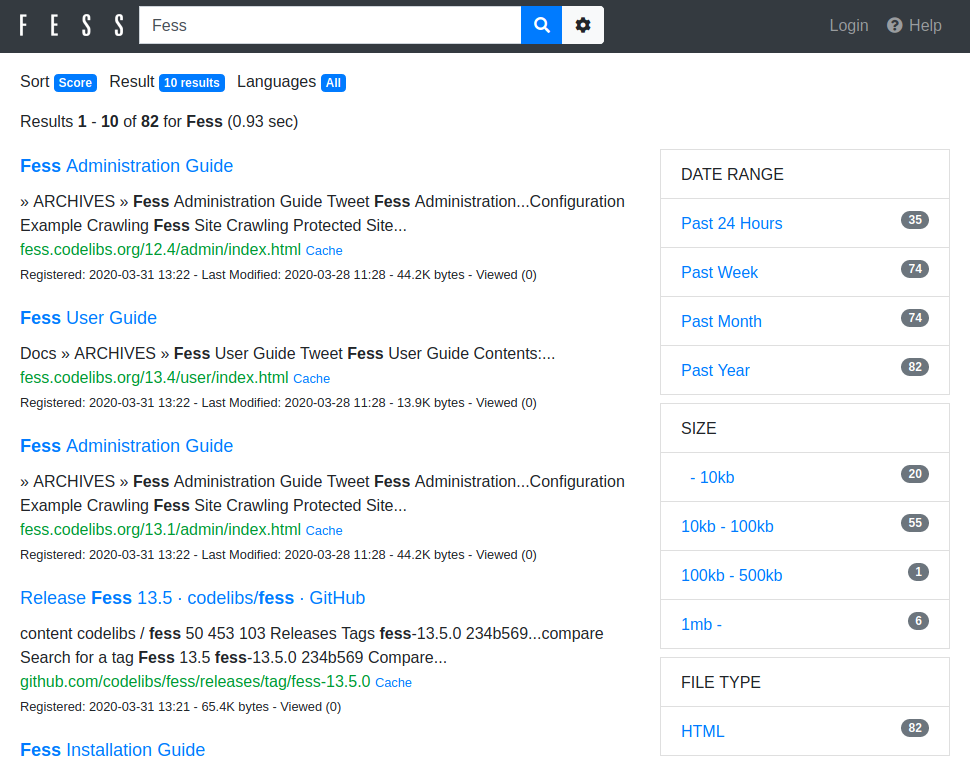 - Admin UI: http://localhost:8080/admin/ (default username/password is admin/admin) 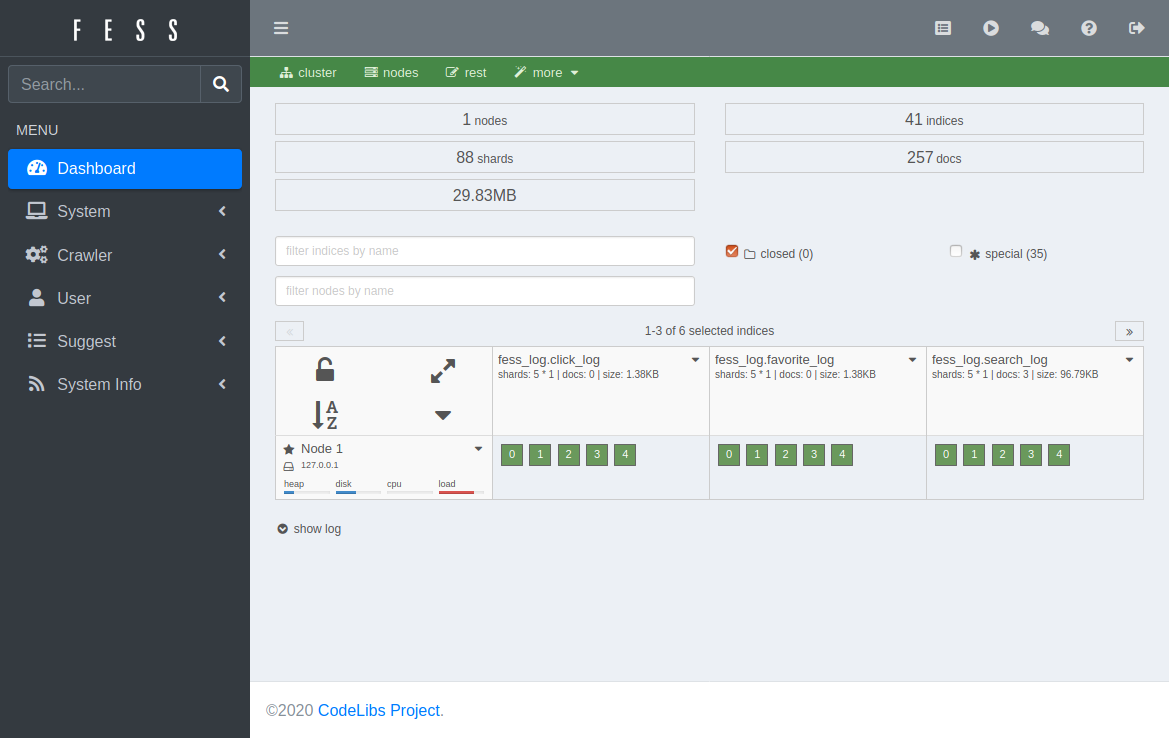
Created: Tue Mar 31 13:07:34 GMT 2026 - Last Modified: Sat Feb 14 03:19:23 GMT 2026 - 7.8K bytes - Click Count (2) -
docs/ja/docs/advanced/openapi-webhooks.md
### ドキュメントの確認 { #check-the-docs }

アプリを起動し、[http://127.0.0.1:8000/docs](http://127.0.0.1:8000/docs) にアクセスします。

ドキュメントには通常の *path operations* に加えて、**webhooks** も表示されます:
Created: Sun Apr 05 07:19:11 GMT 2026 - Last Modified: Fri Mar 20 14:07:17 GMT 2026 - 3.5K bytes - Click Count (0) -
docs/en/docs/advanced/security/oauth2-scopes.md
This is the same mechanism used when you give permissions while logging in with Facebook, Google, GitHub, etc:

<img src="/img/tutorial/security/image11.png">

## JWT token with scopes { #jwt-token-with-scopes }

Now, modify the token *path operation* to return the scopes requested.
Created: Sun Apr 05 07:19:11 GMT 2026 - Last Modified: Thu Mar 05 18:13:19 GMT 2026 - 13.4K bytes - Click Count (0) -
src/test/resources/plugin/repo2/index.html
<html>
  <head>
    <title>Index of /repositories/snapshots/org/codelibs/fess</title>
    <meta http-equiv="Content-Type" content="text/html; charset=utf-8"/>

    <link rel="icon" type="image/png" href="https://oss.sonatype.org/favicon.png">
    <!--[if IE]>
    <link rel="SHORTCUT ICON" href="https://oss.sonatype.org/favicon.ico"/>
    <![endif]-->
Created: Tue Mar 31 13:07:34 GMT 2026 - Last Modified: Tue Aug 13 07:34:14 GMT 2019 - 10.5K bytes - Click Count (0) -
docs/ko/docs/advanced/path-operation-advanced-configuration.md
{* ../../docs_src/path_operation_advanced_configuration/tutorial005_py310.py hl[6] *}

자동 API 문서를 열면, 해당 특정 *경로 처리*의 하단에 확장이 표시됩니다.

<img src="/img/tutorial/path-operation-advanced-configuration/image01.png">

또한 API의 `/openapi.json`에서 결과 OpenAPI를 보면, 특정 *경로 처리*의 일부로 확장이 포함된 것도 확인할 수 있습니다:

```JSON hl_lines="22"
{
    "openapi": "3.1.0",
    "info": {
        "title": "FastAPI",
        "version": "0.1.0"
Created: Sun Apr 05 07:19:11 GMT 2026 - Last Modified: Fri Mar 20 14:06:26 GMT 2026 - 7.6K bytes - Click Count (0) -
docs/en/docs/advanced/security/http-basic-auth.md
When you try to open the URL for the first time (or click the "Execute" button in the docs) the browser will ask you for your username and password:

<img src="/img/tutorial/security/image12.png">

## Check the username { #check-the-username }

Here's a more complete example.

Use a dependency to check if the username and password are correct.
Created: Sun Apr 05 07:19:11 GMT 2026 - Last Modified: Thu Mar 05 18:13:19 GMT 2026 - 5K bytes - Click Count (0) -
MODULE.bazel
bazel_dep(name = "snappy", version = "1.2.2.bcr.1")
bazel_dep(name = "zlib", version = "1.3.1.bcr.7")
bazel_dep(name = "libpng", version = "1.6.50.bcr.1", repo_name = "png")
bazel_dep(name = "boringssl", version = "0.20250818.0")
bazel_dep(name = "highway", version = "1.3.0", repo_name = "com_google_highway")
single_version_override(
    module_name = "highway",
    patch_strip = 1,
Created: Tue Apr 07 12:39:13 GMT 2026 - Last Modified: Thu Apr 02 01:32:13 GMT 2026 - 11K bytes - Click Count (0) -
docs/zh/docs/advanced/security/http-basic-auth.md
    * 包含发送的 `username` 与 `password`

{* ../../docs_src/security/tutorial006_an_py310.py hl[4,8,12] *}

第一次打开 URL(或在 API 文档中点击 **Execute** 按钮)时,浏览器要求输入用户名与密码:

<img src="/img/tutorial/security/image12.png">

## 检查用户名 { #check-the-username }

以下是更完整的示例。

使用依赖项检查用户名与密码是否正确。

为此要使用 Python 标准模块 [`secrets`](https://docs.python.org/3/library/secrets.html) 检查用户名与密码。
Created: Sun Apr 05 07:19:11 GMT 2026 - Last Modified: Fri Mar 20 17:06:37 GMT 2026 - 4.4K bytes - Click Count (0) -
docs/en/docs/tutorial/response-model.md
When you see the automatic docs, you can check that the input model and output model will both have their own JSON Schema:

<img src="/img/tutorial/response-model/image01.png">

And both models will be used for the interactive API documentation:

<img src="/img/tutorial/response-model/image02.png">

## Other Return Type Annotations { #other-return-type-annotations }
Created: Sun Apr 05 07:19:11 GMT 2026 - Last Modified: Thu Mar 05 18:13:19 GMT 2026 - 15.5K bytes - Click Count (0) -
docs/en/docs/advanced/path-operation-advanced-configuration.md
If you open the automatic API docs, your extension will show up at the bottom of the specific *path operation*.

<img src="/img/tutorial/path-operation-advanced-configuration/image01.png">

And if you see the resulting OpenAPI (at `/openapi.json` in your API), you will see your extension as part of the specific *path operation* too:

```JSON hl_lines="22"
{
    "openapi": "3.1.0",
    "info": {
Created: Sun Apr 05 07:19:11 GMT 2026 - Last Modified: Thu Mar 05 18:13:19 GMT 2026 - 7.1K bytes - Click Count (0)