- Sort Score
- Num 10 results
- Language All
Results 391 - 400 of 1,058 for png (0.01 seconds)
-
docs/en/docs/tutorial/cookie-param-models.md
## Check the Docs { #check-the-docs }

You can see the defined cookies in the docs UI at `/docs`:

<div class="screenshot">
<img src="/img/tutorial/cookie-param-models/image01.png">
</div>

/// info

Have in mind that, as **browsers handle cookies** in special ways and behind the scenes, they **don't** easily allow **JavaScript** to touch them.
Created: Sun Apr 05 07:19:11 GMT 2026 - Last Modified: Tue Feb 10 11:48:27 GMT 2026 - 3.1K bytes - Click Count (0) -
docs/en/docs/how-to/extending-openapi.md
Created: Sun Apr 05 07:19:11 GMT 2026 - Last Modified: Thu Mar 05 18:13:19 GMT 2026 - 3.3K bytes - Click Count (0) -
docs/zh/docs/tutorial/header-param-models.md
**FastAPI** 将从请求中接收到的 **headers** 中**提取**出**每个字段**的数据,并提供您定义的 Pydantic 模型。

## 查看文档 { #check-the-docs }

您可以在文档 UI 的 `/docs` 中查看所需的 headers:

<div class="screenshot">
<img src="/img/tutorial/header-param-models/image01.png">
</div>

## 禁止额外的 Headers { #forbid-extra-headers }

在某些特殊使用情况下(可能并不常见),您可能希望**限制**您想要接收的 headers。

您可以使用 Pydantic 的模型配置来禁止( `forbid` )任何额外( `extra` )字段:
Created: Sun Apr 05 07:19:11 GMT 2026 - Last Modified: Sun Feb 08 10:39:41 GMT 2026 - 2.5K bytes - Click Count (0) -
docs/zh-hant/docs/index.md
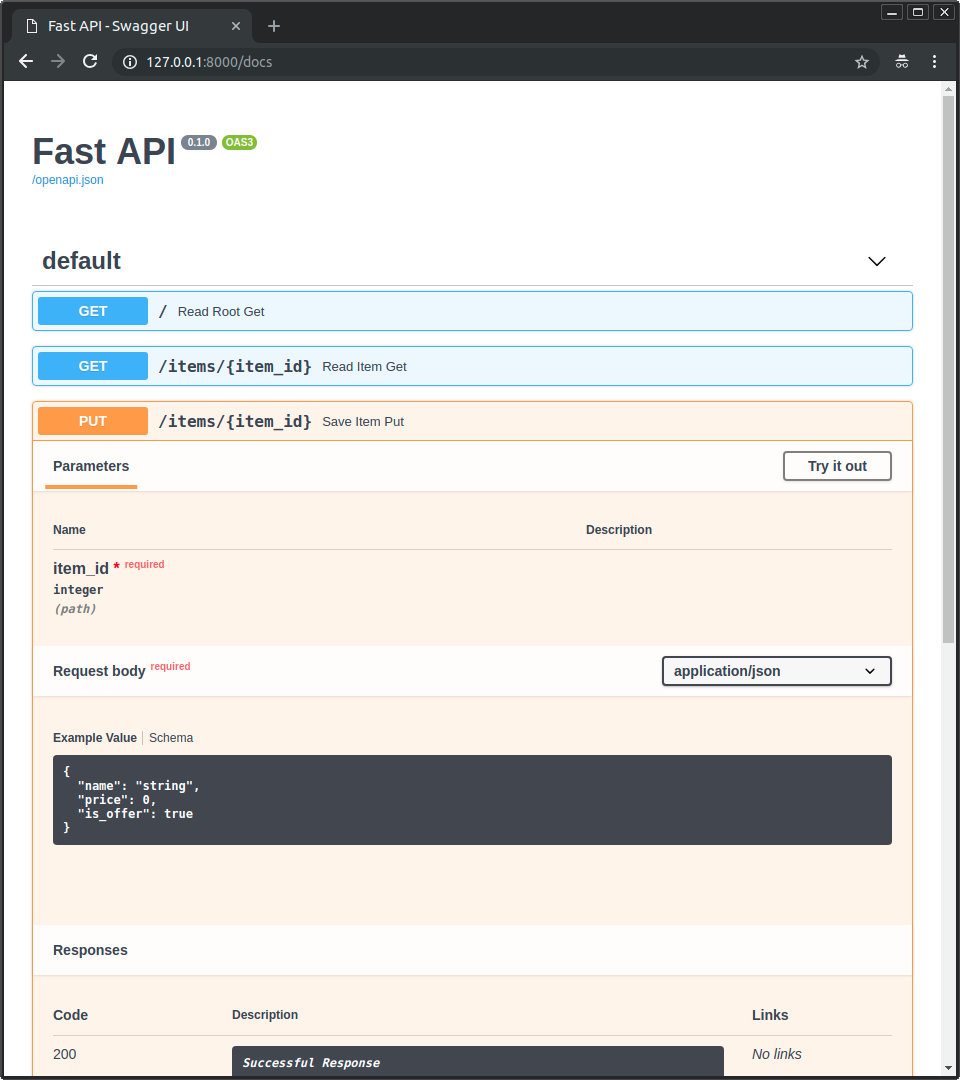 * 點擊「Try it out」按鈕,你可以填寫參數並直接與 API 互動: 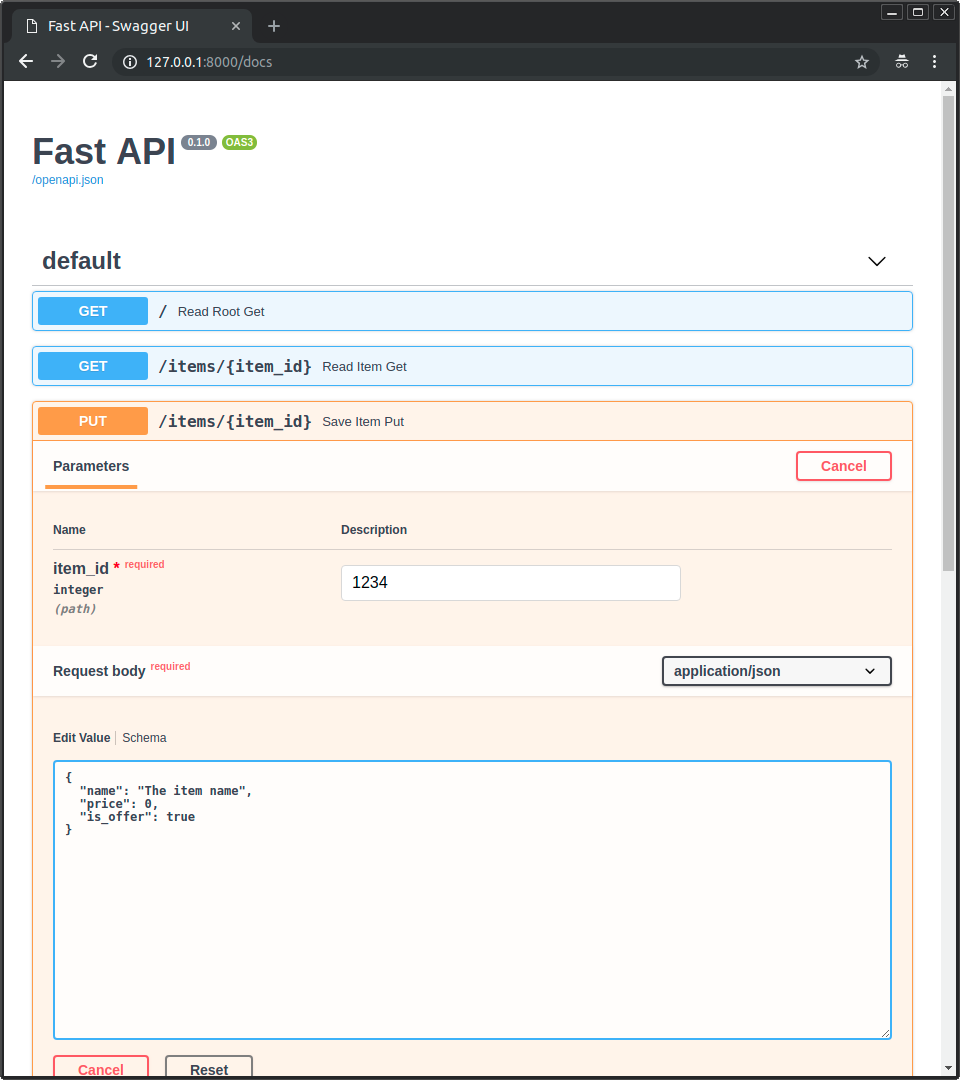 * 然後點擊「Execute」按鈕,使用者介面會與你的 API 溝通、送出參數、取得結果並顯示在螢幕上: 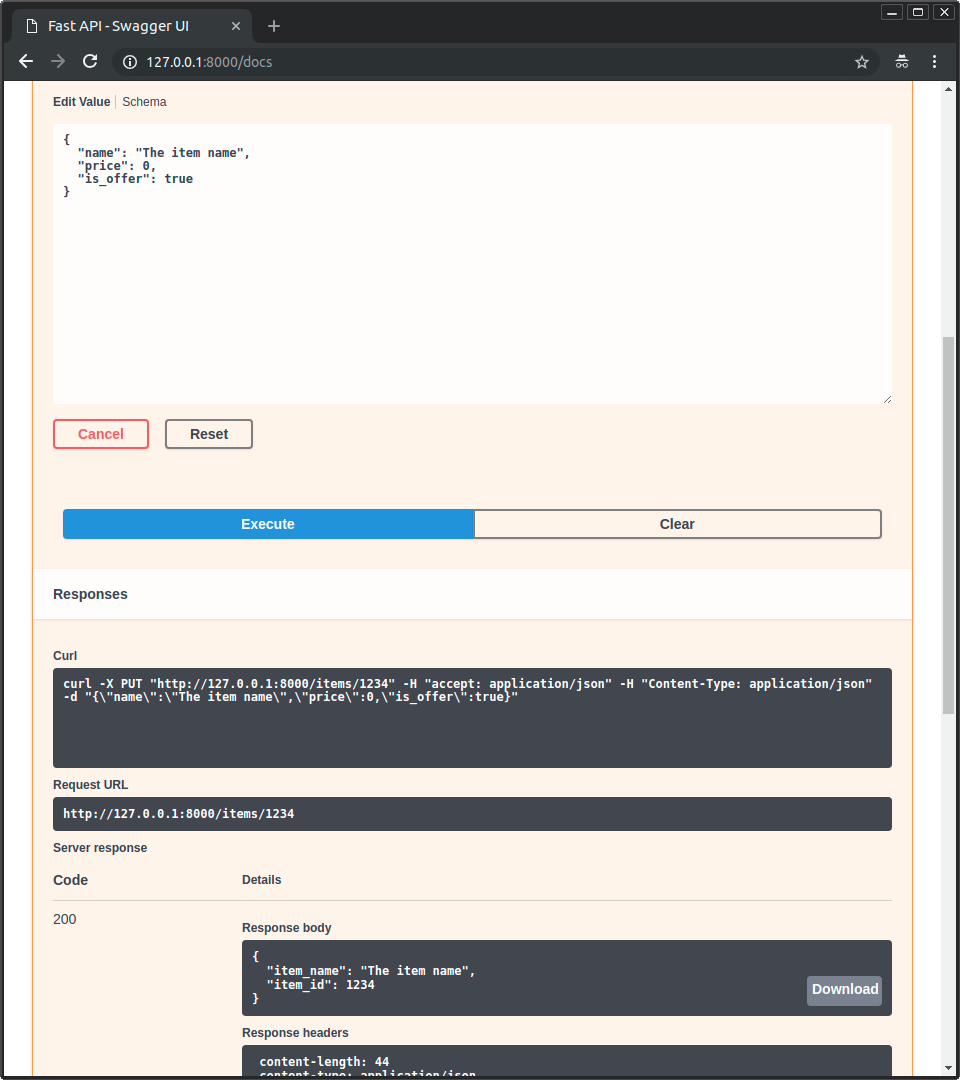 ### 替代 API 文件升級 { #alternative-api-docs-upgrade }Created: Sun Apr 05 07:19:11 GMT 2026 - Last Modified: Fri Mar 20 17:05:38 GMT 2026 - 20.8K bytes - Click Count (0) -
docs/ja/docs/index.md
 * 「Try it out」ボタンをクリックします。パラメータを入力して API と直接やりとりできます。  * 次に、「Execute」ボタンをクリックします。ユーザーインターフェースは API と通信し、パラメータを送信し、結果を取得して画面に表示します。 
Created: Sun Apr 05 07:19:11 GMT 2026 - Last Modified: Fri Mar 20 14:07:17 GMT 2026 - 25.6K bytes - Click Count (0) -
src/main/resources/fess_thumbnail.xml
		<postConstruct name="addCondition">
			<arg>"mimetype"</arg>
			<arg>"image/gif"
			</arg>
		</postConstruct>
		<postConstruct name="addCondition">
			<arg>"mimetype"</arg>
			<arg>"image/png"
			</arg>
		</postConstruct>
		<postConstruct name="addCondition">
			<arg>"mimetype"</arg>
			<arg>"image/vnd.adobe.photoshop"
			</arg>
		</postConstruct>
		<postConstruct name="addCondition">
Created: Tue Mar 31 13:07:34 GMT 2026 - Last Modified: Wed Feb 04 14:24:39 GMT 2026 - 6K bytes - Click Count (0) -
docs/zh-hant/docs/advanced/openapi-webhooks.md
### 查看文件 { #check-the-docs }

現在你可以啟動應用,然後前往 [http://127.0.0.1:8000/docs](http://127.0.0.1:8000/docs)。

你會在文件中看到一般的路徑操作,另外還有一些 webhook:
Created: Sun Apr 05 07:19:11 GMT 2026 - Last Modified: Fri Mar 20 17:05:38 GMT 2026 - 2.6K bytes - Click Count (0) -
docs/ko/docs/advanced/security/http-basic-auth.md
    * 전송된 `username`과 `password`를 포함합니다.

{* ../../docs_src/security/tutorial006_an_py310.py hl[4,8,12] *}

처음으로 URL을 열어보면(또는 문서에서 "Execute" 버튼을 클릭하면) 브라우저가 사용자명과 비밀번호를 물어봅니다:

<img src="/img/tutorial/security/image12.png">

## 사용자명 확인하기 { #check-the-username }

더 완전한 예시입니다.

dependency를 사용해 사용자명과 비밀번호가 올바른지 확인하세요.

이를 위해 Python 표준 모듈 [`secrets`](https://docs.python.org/3/library/secrets.html)를 사용해 사용자명과 비밀번호를 확인합니다.
Created: Sun Apr 05 07:19:11 GMT 2026 - Last Modified: Fri Mar 20 14:06:26 GMT 2026 - 5.9K bytes - Click Count (0) -
docs/zh-hant/docs/advanced/behind-a-proxy.md
你可以在 [http://127.0.0.1:8000/docs](http://127.0.0.1:8000/docs) 檢查:

<img src="/img/tutorial/behind-a-proxy/image01.png">

但如果我們改用「正式」的 URL,也就是使用埠號 `9999` 的代理、並在 `/api/v1/docs`,它就能正確運作了!🎉

你可以在 [http://127.0.0.1:9999/api/v1/docs](http://127.0.0.1:9999/api/v1/docs) 檢查:

<img src="/img/tutorial/behind-a-proxy/image02.png">

正如我們所希望的那樣。✔️

這是因為 FastAPI 使用這個 `root_path` 來在 OpenAPI 中建立預設的 `server`,其 URL 就是 `root_path` 所提供的值。
Created: Sun Apr 05 07:19:11 GMT 2026 - Last Modified: Fri Mar 20 17:05:38 GMT 2026 - 15.3K bytes - Click Count (0) -
docs/ko/docs/tutorial/cookie-param-models.md
**FastAPI**는 요청에서 받은 **쿠키**에서 **각 필드**에 대한 데이터를 **추출**하고 정의한 Pydantic 모델을 줍니다.

## 문서 확인하기 { #check-the-docs }

문서 UI `/docs`에서 정의한 쿠키를 볼 수 있습니다:

<div class="screenshot">
<img src="/img/tutorial/cookie-param-models/image01.png">
</div>

/// info | 정보

명심하세요, 내부적으로 **브라우저는 쿠키를 특별한 방식으로 처리**하기 때문에 **자바스크립트**가 쉽게 쿠키를 건드릴 수 **없습니다**.

`/docs`에서 **API 문서 UI**로 이동하면 *경로 처리*에 대한 쿠키의 **문서**를 볼 수 있습니다.
Created: Sun Apr 05 07:19:11 GMT 2026 - Last Modified: Sat Feb 14 08:57:01 GMT 2026 - 3.6K bytes - Click Count (0)