- Sort Score
- Num 10 results
- Language All
Results 21 - 30 of 166 for navigator (0.06 seconds)
-
docs/bigdata/README.md
## **3. Configure Hadoop, Spark, Hive to use MinIO** After successful installation navigate to the Ambari UI `http://<ambari-server>:8080/` and login using the default credentials: [**_username: admin, password: admin_**] 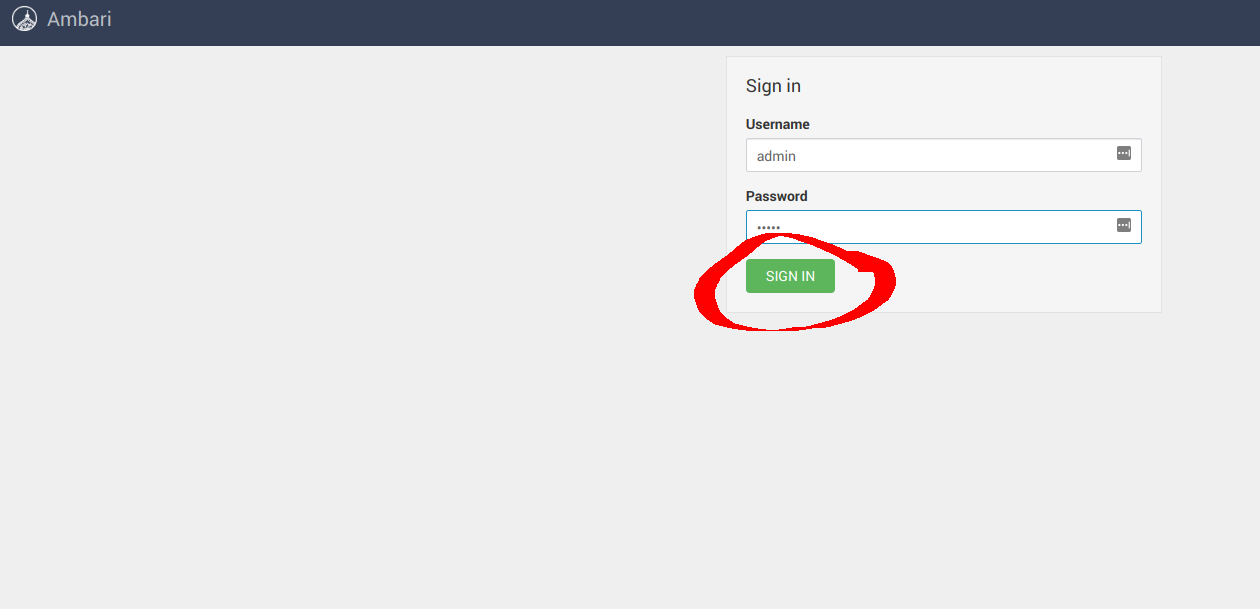 ### **3.1 Configure Hadoop** Navigate to **Services** -> **HDFS** -> **CONFIGS** -> **ADVANCED** as shown below
Created: Sun Apr 05 19:28:12 GMT 2026 - Last Modified: Tue Aug 12 18:20:36 GMT 2025 - 14.7K bytes - Click Count (0) -
src/main/java/org/codelibs/fess/app/pager/BadWordPager.java
    }

    /**
     * Gets the list of page numbers for pagination navigation.
     * @return The list of page numbers.
     */
    public List<Integer> getPageNumberList() {
        return pageNumberList;
    }

    /**
     * Sets the list of page numbers for pagination navigation.
     * @param pageNumberList The list of page numbers.
     */
Created: Tue Mar 31 13:07:34 GMT 2026 - Last Modified: Thu Jul 17 08:28:31 GMT 2025 - 6.1K bytes - Click Count (0) -
docs/pt/docs/tutorial/cors.md
## Passos { #steps }

Então, digamos que você tenha um frontend rodando no seu navegador em `http://localhost:8080`, e seu JavaScript esteja tentando se comunicar com um backend rodando em `http://localhost` (como não especificamos uma porta, o navegador assumirá a porta padrão `80`).
Created: Sun Apr 05 07:19:11 GMT 2026 - Last Modified: Thu Mar 19 18:20:43 GMT 2026 - 5.7K bytes - Click Count (0) -
src/main/java/org/codelibs/fess/app/pager/UserPager.java
    }

    /**
     * Gets the list of page numbers for navigation.
     *
     * @return the list of page numbers
     */
    public List<Integer> getPageNumberList() {
        return pageNumberList;
    }

    /**
     * Sets the list of page numbers for navigation.
     *
     * @param pageNumberList the list of page numbers
     */
Created: Tue Mar 31 13:07:34 GMT 2026 - Last Modified: Thu Jul 17 08:28:31 GMT 2025 - 6.3K bytes - Click Count (0) -
src/main/java/org/codelibs/fess/app/pager/StemmerOverridePager.java
 *
 * This class provides pagination functionality for displaying stemmer override
 * dictionary entries in the administrative interface. It manages page state,
 * navigation controls, and provides methods for calculating page boundaries
 * and navigation elements.
 */
public class StemmerOverridePager implements Serializable {

    private static final long serialVersionUID = 1L;
Created: Tue Mar 31 13:07:34 GMT 2026 - Last Modified: Thu Jul 17 08:28:31 GMT 2025 - 6K bytes - Click Count (0) -
docs/es/docs/advanced/websockets.md
<div class="termy">

```console
$ fastapi dev

<span style="color: green;">INFO</span>:     Uvicorn running on http://127.0.0.1:8000 (Press CTRL+C to quit)
```

</div>

Abre tu navegador en [http://127.0.0.1:8000](http://127.0.0.1:8000).

Verás una página simple como:

<img src="/img/tutorial/websockets/image01.png">

Puedes escribir mensajes en el cuadro de entrada y enviarlos:
Created: Sun Apr 05 07:19:11 GMT 2026 - Last Modified: Thu Mar 19 18:15:55 GMT 2026 - 5.5K bytes - Click Count (0) -
docs/es/docs/tutorial/cors.md
## Pasos { #steps }

Entonces, digamos que tienes un frontend corriendo en tu navegador en `http://localhost:8080`, y su JavaScript está tratando de comunicarse con un backend corriendo en `http://localhost` (porque no especificamos un puerto, el navegador asumirá el puerto por defecto `80`).
Created: Sun Apr 05 07:19:11 GMT 2026 - Last Modified: Thu Mar 19 18:15:55 GMT 2026 - 5.6K bytes - Click Count (0) -
scripts/mkdocs_hooks.py
        else:
            new_items.append(item)
    return new_items


def on_nav(
    nav: Navigation, *, config: MkDocsConfig, files: Files, **kwargs: Any
) -> Navigation:
    new_items = generate_renamed_section_items(nav.items, config=config)
    return Navigation(items=new_items, pages=nav.pages)


def on_pre_page(page: Page, *, config: MkDocsConfig, files: Files) -> Page:
    return page
Created: Sun Apr 05 07:19:11 GMT 2026 - Last Modified: Tue Feb 17 09:59:14 GMT 2026 - 6.6K bytes - Click Count (0) -
docs/de/docs/editor-support.md
- CodeLens-Navigation – Anklickbare Links oberhalb von Testclient-Aufrufen (z. B. `client.get('/items')`), die zur passenden Pfadoperation springen und so eine schnelle Navigation zwischen Tests und Implementierung ermöglichen.
Created: Sun Apr 05 07:19:11 GMT 2026 - Last Modified: Thu Mar 19 17:48:21 GMT 2026 - 2.7K bytes - Click Count (0) -
docs/fr/docs/tutorial/cors.md
## Étapes { #steps }

Disons donc que vous avez un frontend exécuté dans votre navigateur à `http://localhost:8080`, et que son JavaScript essaie de communiquer avec un backend exécuté à `http://localhost` (comme nous ne spécifions pas de port, le navigateur supposera le port par défaut `80`).
Created: Sun Apr 05 07:19:11 GMT 2026 - Last Modified: Thu Mar 19 18:37:13 GMT 2026 - 6.1K bytes - Click Count (0)