- Sort Score
- Num 10 results
- Language All
Results 21 - 30 of 598 for configure (0.06 seconds)
-
build-logic/jvm/src/main/kotlin/gradlebuild/jvm/JvmCompilation.kt
        afterEvaluate {
            groovyCompile.configure {
                val version = targetJvmVersion.get().toString()
                sourceCompatibility = version
                targetCompatibility = version
            }
        }
    }

    @JvmName("associateKotlin")
    fun associate(kotlinCompile: TaskProvider<KotlinCompile>) {
        kotlinCompile.configure {
Created: Wed Dec 31 11:36:14 GMT 2025 - Last Modified: Fri Sep 19 05:45:14 GMT 2025 - 5.8K bytes - Click Count (0) -
docs/bigdata/README.md
## **3. Configure Hadoop, Spark, Hive to use MinIO** After successful installation navigate to the Ambari UI `http://<ambari-server>:8080/` and login using the default credentials: [**_username: admin, password: admin_**] 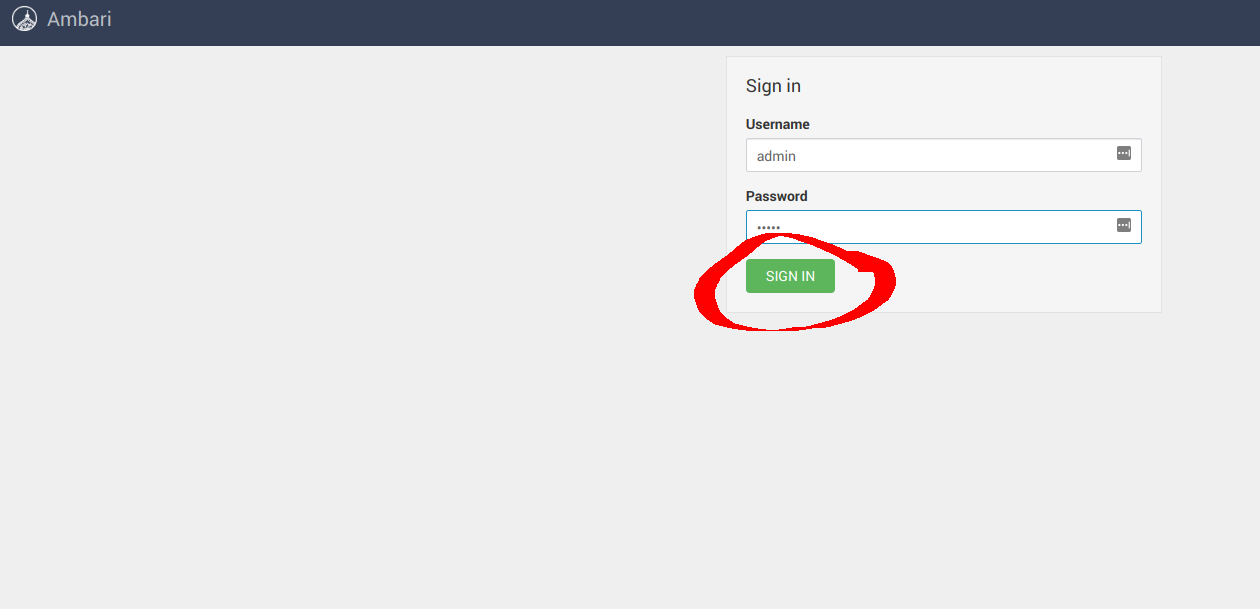 ### **3.1 Configure Hadoop**
Created: Sun Dec 28 19:28:13 GMT 2025 - Last Modified: Tue Aug 12 18:20:36 GMT 2025 - 14.7K bytes - Click Count (0) -
BUILD
exports_files(glob(["requirements*"]) + [
    "configure",
    "configure.py",
    "ACKNOWLEDGEMENTS",
    "AUTHORS",
    "LICENSE",
Created: Tue Dec 30 12:39:10 GMT 2025 - Last Modified: Tue Mar 04 22:39:12 GMT 2025 - 136 bytes - Click Count (0) -
docs/en/docs/how-to/conditional-openapi.md
# Conditional OpenAPI { #conditional-openapi }

If you needed to, you could use settings and environment variables to configure OpenAPI conditionally depending on the environment, and even disable it entirely.

## About security, APIs, and docs { #about-security-apis-and-docs }

Hiding your documentation user interfaces in production *shouldn't* be the way to protect your API.
Created: Sun Dec 28 07:19:09 GMT 2025 - Last Modified: Wed Dec 17 20:41:43 GMT 2025 - 2.4K bytes - Click Count (0) -
build-logic/integration-testing/src/main/kotlin/gradlebuild.cross-version-tests.gradle.kts
                includeEngines("cross-version-test-engine")
            }
        }

        allVersionsCrossVersionTests.configure { dependsOn(crossVersionTest) }
        if (targetVersion in releasedVersions.mainTestedVersions) {
            quickFeedbackCrossVersionTests.configure { dependsOn(crossVersionTest) }
        }
    }
Created: Wed Dec 31 11:36:14 GMT 2025 - Last Modified: Fri Sep 05 02:31:24 GMT 2025 - 4.5K bytes - Click Count (0) -
okcurl/build.gradle.kts
    testJavaVersion > 17
  }
}

apply(plugin = "org.graalvm.buildtools.native")

configure<GraalVMExtension> {
  binaries {
    named("main") {
      imageName = "okcurl"
      mainClass = "okhttp3.curl.MainCommandLineKt"
    }
  }
}

mavenPublishing {
  configure(KotlinJvm(javadocJar = JavadocJar.Empty()))
Created: Fri Dec 26 11:42:13 GMT 2025 - Last Modified: Tue Jul 22 20:31:49 GMT 2025 - 1.6K bytes - Click Count (0) -
okhttp/build.gradle.kts
    else -> {
      logger.info("Module-info checking is disabled")
    }
  }
  // Set the task outputs and destination dir
  outputs.dir(targetDir)
  destinationDirectory.set(targetDir)

  // Configure JVM compatibility
  sourceCompatibility = JavaVersion.VERSION_1_9.toString()
  targetCompatibility = JavaVersion.VERSION_1_9.toString()

  // Set the Java release version.
  options.release.set(9)
Created: Fri Dec 26 11:42:13 GMT 2025 - Last Modified: Sat Nov 01 12:18:11 GMT 2025 - 12.3K bytes - Click Count (0) -
buildSrc/src/main/kotlin/JavaModules.kt
import org.gradle.api.tasks.compile.JavaCompile
import org.gradle.kotlin.dsl.configure
import org.gradle.kotlin.dsl.named
import org.jetbrains.kotlin.gradle.tasks.KotlinJvmCompile

fun Project.applyJavaModules(
  moduleName: String,
  defaultVersion: Int = 8,
  javaModuleVersion: Int = 9,
  enableValidation: Boolean = true,
) {
  plugins.apply("me.champeau.mrjar")

  configure<MultiReleaseExtension> {
Created: Fri Dec 26 11:42:13 GMT 2025 - Last Modified: Sun Sep 21 06:22:22 GMT 2025 - 1.9K bytes - Click Count (0) -
impl/maven-core/src/main/java/org/apache/maven/execution/scope/internal/MojoExecutionScopeCoreModule.java
    @Inject
    public MojoExecutionScopeCoreModule() {
        super(new MojoExecutionScope());
    }

    @Override
    protected void configure() {
        super.configure();
        bind(MojoExecutionListener.class).toInstance(scope);
    }
Created: Sun Dec 28 03:35:09 GMT 2025 - Last Modified: Fri Oct 25 12:31:46 GMT 2024 - 1.3K bytes - Click Count (0) -
docs/metrics/prometheus/README.md
### 6. Configure Grafana

After Prometheus is configured, you can use Grafana to visualize MinIO metrics. Refer the [document here to setup Grafana with MinIO prometheus metrics](https://github.com/minio/minio/blob/master/docs/metrics/prometheus/grafana/README.md).
Created: Sun Dec 28 19:28:13 GMT 2025 - Last Modified: Tue Aug 12 18:20:36 GMT 2025 - 7.1K bytes - Click Count (0)