- Sort Score
- Num 10 results
- Language All
Results 481 - 490 of 1,000 for imag (0.02 seconds)
-
docs/pt/docs/tutorial/header-param-models.md
## Checando a documentação { #check-the-docs }

Você pode ver os headers necessários na interface gráfica da documentação em `/docs`:

<div class="screenshot">
<img src="/img/tutorial/header-param-models/image01.png">
</div>

## Proibindo Cabeçalhos adicionais { #forbid-extra-headers }
Created: Sun Apr 05 07:19:11 GMT 2026 - Last Modified: Wed Nov 12 16:23:57 GMT 2025 - 2.9K bytes - Click Count (0) -
docs/zh/docs/tutorial/query-param-models.md
**FastAPI** 将会从请求的**查询参数**中**提取**出**每个字段**的数据,并将其提供给你定义的 Pydantic 模型。

## 查看文档 { #check-the-docs }

你可以在 `/docs` 页面的 UI 中查看查询参数:

<div class="screenshot">
<img src="/img/tutorial/query-param-models/image01.png">
</div>

## 禁止额外的查询参数 { #forbid-extra-query-parameters }

在一些特殊的使用场景中(可能不是很常见),你可能希望**限制**你要接收的查询参数。

你可以使用 Pydantic 的模型配置来 `forbid` 任何 `extra` 字段:
Created: Sun Apr 05 07:19:11 GMT 2026 - Last Modified: Sun Feb 08 10:39:41 GMT 2026 - 2.1K bytes - Click Count (0) -
docs/zh/docs/tutorial/request-form-models.md
**FastAPI** 将从请求中的**表单数据**中**提取**出**每个字段**的数据,并提供你定义的 Pydantic 模型。

## 检查文档 { #check-the-docs }

你可以在文档 UI 中验证它,地址为 `/docs`:

<div class="screenshot">
<img src="/img/tutorial/request-form-models/image01.png">
</div>

## 禁止额外的表单字段 { #forbid-extra-form-fields }

在某些特殊使用情况下(可能并不常见),你可能希望将表单字段**限制**为仅在 Pydantic 模型中声明过的字段,并**禁止**任何**额外**的字段。

/// note | 注意
Created: Sun Apr 05 07:19:11 GMT 2026 - Last Modified: Fri Mar 20 17:06:37 GMT 2026 - 2.1K bytes - Click Count (0) -
docs/tr/docs/advanced/behind-a-proxy.md
<img src="/img/tutorial/behind-a-proxy/image01.png">

Ancak docs UI'yi proxy üzerinden, `9999` portuyla, `/api/v1/docs` altında "resmi" URL'den açarsak doğru çalışır! 🎉

Şuradan kontrol edebilirsiniz: [http://127.0.0.1:9999/api/v1/docs](http://127.0.0.1:9999/api/v1/docs):

<img src="/img/tutorial/behind-a-proxy/image02.png">

Tam istediğimiz gibi. ✔️
Created: Sun Apr 05 07:19:11 GMT 2026 - Last Modified: Fri Mar 20 07:53:17 GMT 2026 - 16.5K bytes - Click Count (0) -
docs/tr/docs/features.md
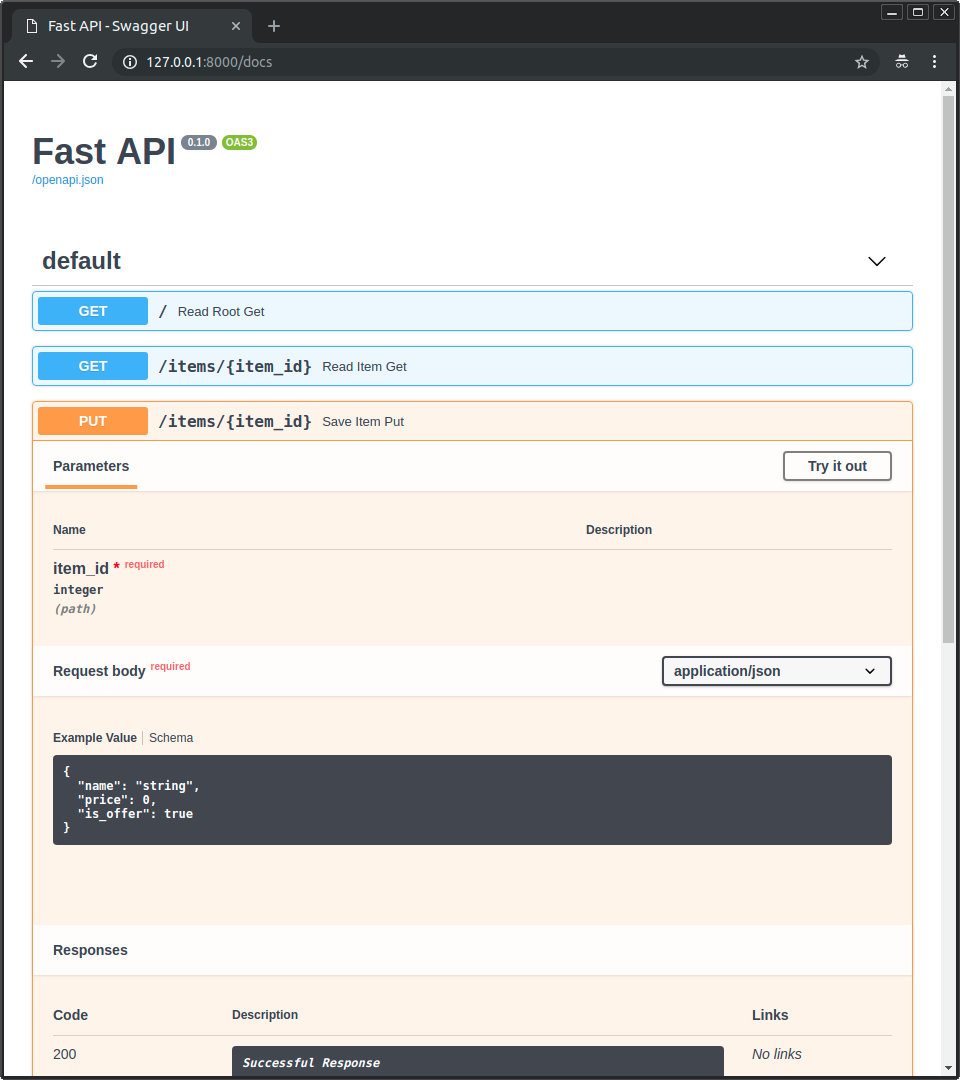 * [**ReDoc**](https://github.com/Rebilly/ReDoc) ile alternatif API dokümantasyonu. 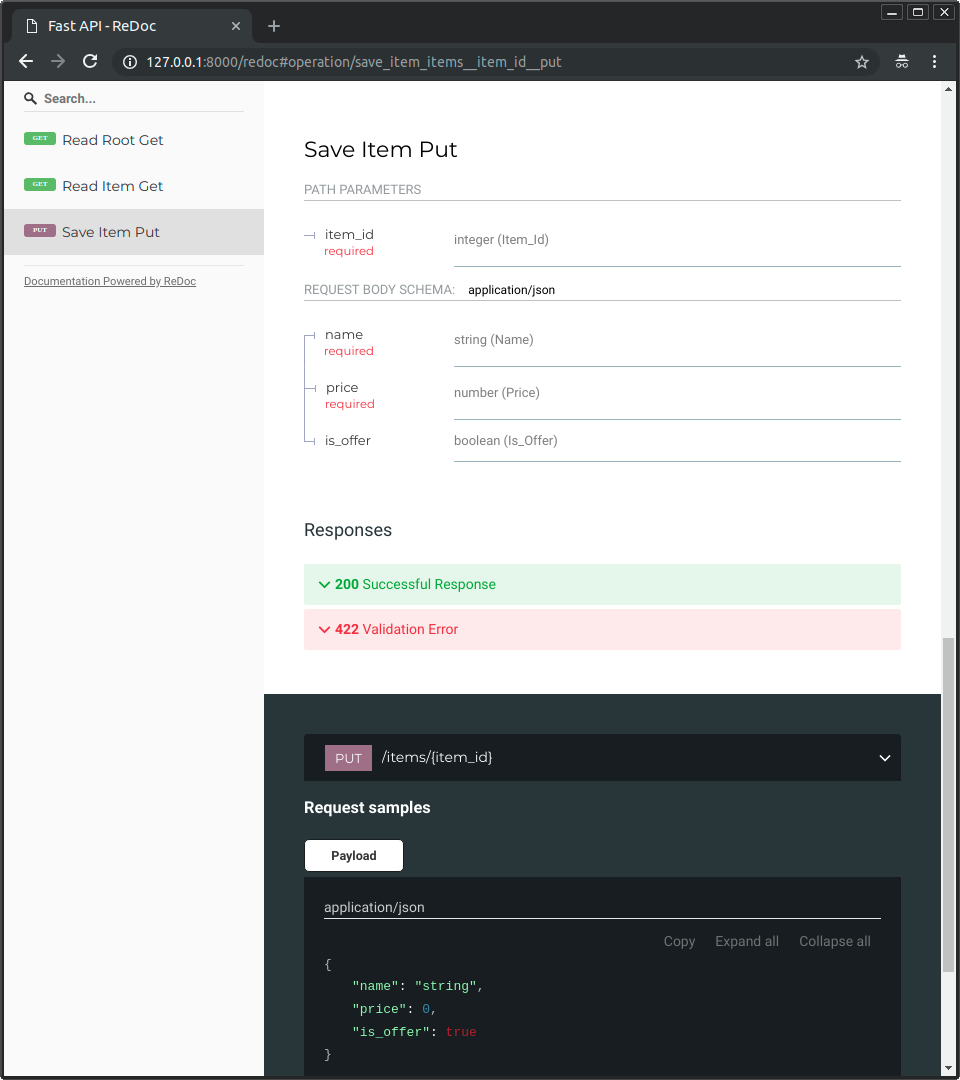 ### Sadece Modern Python { #just-modern-python }Created: Sun Apr 05 07:19:11 GMT 2026 - Last Modified: Fri Mar 20 07:53:17 GMT 2026 - 10.1K bytes - Click Count (0) -
docs/tr/docs/tutorial/schema-extra-example.md
{* ../../docs_src/schema_extra_example/tutorial003_an_py310.py hl[22:29] *}

### Doküman arayüzünde örnek { #example-in-the-docs-ui }

Yukarıdaki yöntemlerden herhangi biriyle `/docs` içinde şöyle görünür:

<img src="/img/tutorial/body-fields/image01.png">

### Birden fazla `examples` ile `Body` { #body-with-multiple-examples }

Elbette birden fazla `examples` da geçebilirsiniz:
Created: Sun Apr 05 07:19:11 GMT 2026 - Last Modified: Fri Mar 20 07:53:17 GMT 2026 - 9.6K bytes - Click Count (0) -
docs/zh/docs/tutorial/metadata.md
你可以按如下方式设置它们:

{* ../../docs_src/metadata/tutorial001_py310.py hl[3:16, 19:32] *}

/// tip | 提示

你可以在 `description` 字段中编写 Markdown,它会在输出中渲染。

///

通过这样设置,自动 API 文档看起来会像:

<img src="/img/tutorial/metadata/image01.png">

## 许可证标识符 { #license-identifier }

自 OpenAPI 3.1.0 和 FastAPI 0.99.0 起,你还可以在 `license_info` 中使用 `identifier` 而不是 `url`。

例如:
Created: Sun Apr 05 07:19:11 GMT 2026 - Last Modified: Fri Mar 20 17:06:37 GMT 2026 - 5.6K bytes - Click Count (0) -
docs/pt/docs/tutorial/query-param-models.md
## Verifique a Documentação { #check-the-docs }

Você pode ver os parâmetros de consulta na IU da documentação em `/docs`:

<div class="screenshot">
<img src="/img/tutorial/query-param-models/image01.png">
</div>

## Restrinja Parâmetros de Consulta Extras { #forbid-extra-query-parameters }
Created: Sun Apr 05 07:19:11 GMT 2026 - Last Modified: Fri Feb 13 13:48:53 GMT 2026 - 2.4K bytes - Click Count (0) -
src/test/java/org/codelibs/fess/crawler/transformer/FessXpathTransformerTest.java
        data = "<img src=\"http://example/foo.jpg\">" //
                + "<img src=\"http://example/bar.jpg\" width=\"100\" height=\"100\">";
        expected = "http://example/bar.jpg";
        assertGetThumbnailUrl(data, expected);

        data = "<img src=\"http://example/foo.jpg\" width=\"100\" height=\"100\">";
        expected = "http://example/foo.jpg";
        assertGetThumbnailUrl(data, expected);
Created: Tue Mar 31 13:07:34 GMT 2026 - Last Modified: Fri Mar 13 23:01:26 GMT 2026 - 62.9K bytes - Click Count (0) -
README.md
[](https://github.com/go-gorm/gorm/actions) [](https://opensource.org/licenses/MIT) [](https://pkg.go.dev/gorm.io/gorm?tab=doc) ## Overview * Full-Featured ORM
Created: Sun Apr 05 09:35:12 GMT 2026 - Last Modified: Thu Oct 30 09:30:20 GMT 2025 - 1.8K bytes - Click Count (0)