- Sort Score
- Num 10 results
- Language All
Results 371 - 380 of 1,058 for png (0.02 seconds)
-
docs/zh/docs/tutorial/request-form-models.md
**FastAPI** 将从请求中的**表单数据**中**提取**出**每个字段**的数据,并提供你定义的 Pydantic 模型。

## 检查文档 { #check-the-docs }

你可以在文档 UI 中验证它,地址为 `/docs`:

<div class="screenshot">
<img src="/img/tutorial/request-form-models/image01.png">
</div>

## 禁止额外的表单字段 { #forbid-extra-form-fields }

在某些特殊使用情况下(可能并不常见),你可能希望将表单字段**限制**为仅在 Pydantic 模型中声明过的字段,并**禁止**任何**额外**的字段。

/// note | 注意

自 FastAPI 版本 `0.114.0` 起支持此功能。🤓

///
Created: Sun Apr 05 07:19:11 GMT 2026 - Last Modified: Fri Mar 20 17:06:37 GMT 2026 - 2.1K bytes - Click Count (0) -
docs/zh/docs/tutorial/metadata.md
你可以按如下方式设置它们:

{* ../../docs_src/metadata/tutorial001_py310.py hl[3:16, 19:32] *}

/// tip | 提示

你可以在 `description` 字段中编写 Markdown,它会在输出中渲染。

///

通过这样设置,自动 API 文档看起来会像:

<img src="/img/tutorial/metadata/image01.png">

## 许可证标识符 { #license-identifier }

自 OpenAPI 3.1.0 和 FastAPI 0.99.0 起,你还可以在 `license_info` 中使用 `identifier` 而不是 `url`。

例如:

{* ../../docs_src/metadata/tutorial001_1_py310.py hl[31] *}
Created: Sun Apr 05 07:19:11 GMT 2026 - Last Modified: Fri Mar 20 17:06:37 GMT 2026 - 5.6K bytes - Click Count (0) -
docs/en/docs/tutorial/query-param-models.md
## Check the Docs { #check-the-docs }

You can see the query parameters in the docs UI at `/docs`:

<div class="screenshot">
<img src="/img/tutorial/query-param-models/image01.png">
</div>

## Forbid Extra Query Parameters { #forbid-extra-query-parameters }

In some special use cases (probably not very common), you might want to **restrict** the query parameters that you want to receive.
Created: Sun Apr 05 07:19:11 GMT 2026 - Last Modified: Sun Aug 31 09:15:41 GMT 2025 - 2.2K bytes - Click Count (0) -
docs/es/docs/index.md
### Documentación alternativa de la API { #alternative-api-docs } Y ahora, ve a [http://127.0.0.1:8000/redoc](http://127.0.0.1:8000/redoc). Verás la documentación alternativa automática (proporcionada por [ReDoc](https://github.com/Rebilly/ReDoc)):  ## Actualización del ejemplo { #example-upgrade }Created: Sun Apr 05 07:19:11 GMT 2026 - Last Modified: Thu Mar 19 18:15:55 GMT 2026 - 22.6K bytes - Click Count (0) -
docs/pt/docs/index.md
### Documentação Alternativa da API { #alternative-api-docs } E agora, vá para [http://127.0.0.1:8000/redoc](http://127.0.0.1:8000/redoc). Você verá a documentação automática alternativa (fornecida por [ReDoc](https://github.com/Rebilly/ReDoc)):  ## Evoluindo o Exemplo { #example-upgrade }Created: Sun Apr 05 07:19:11 GMT 2026 - Last Modified: Thu Mar 19 18:20:43 GMT 2026 - 22.7K bytes - Click Count (0) -
docs/fr/docs/index.md
### Documentation API alternative { #alternative-api-docs } Et maintenant, rendez-vous sur [http://127.0.0.1:8000/redoc](http://127.0.0.1:8000/redoc). Vous verrez la documentation alternative automatique (fournie par [ReDoc](https://github.com/Rebilly/ReDoc)) : Created: Sun Apr 05 07:19:11 GMT 2026 - Last Modified: Thu Mar 19 18:37:13 GMT 2026 - 23.8K bytes - Click Count (0) -
docs/en/docs/tutorial/request-form-models.md
## Check the Docs { #check-the-docs }

You can verify it in the docs UI at `/docs`:

<div class="screenshot">
<img src="/img/tutorial/request-form-models/image01.png">
</div>

## Forbid Extra Form Fields { #forbid-extra-form-fields }
Created: Sun Apr 05 07:19:11 GMT 2026 - Last Modified: Thu Mar 05 18:13:19 GMT 2026 - 2.1K bytes - Click Count (0) -
docs/zh-hant/docs/tutorial/path-params.md
注意錯誤也清楚指出驗證未通過的確切位置。

這在開發與除錯與你的 API 互動的程式碼時非常有幫助。

///

## 文件 { #documentation }

當你在瀏覽器開啟 [http://127.0.0.1:8000/docs](http://127.0.0.1:8000/docs),你會看到自動產生、可互動的 API 文件,例如:

<img src="/img/tutorial/path-params/image01.png">

/// check

同樣地,只要使用那個 Python 型別宣告,**FastAPI** 就會提供自動、互動式的文件(整合 Swagger UI)。

注意路徑參數被宣告為整數。

///

## 基於標準的優勢與替代文件 { #standards-based-benefits-alternative-documentation }
Created: Sun Apr 05 07:19:11 GMT 2026 - Last Modified: Fri Mar 20 17:05:38 GMT 2026 - 8.4K bytes - Click Count (0) -
samples/guide/src/main/java/okhttp3/recipes/UploadProgress.java
import java.io.File;
import java.io.IOException;

public final class UploadProgress {
  private static final String IMGUR_CLIENT_ID = "9199fdef135c122";
  private static final MediaType MEDIA_TYPE_PNG = MediaType.get("image/png");

  private final OkHttpClient client = new OkHttpClient();

  public void run() throws Exception {
    // Use the imgur image upload API as documented at https://api.imgur.com/endpoints/image
Created: Fri Apr 03 11:42:14 GMT 2026 - Last Modified: Sat Aug 30 17:01:12 GMT 2025 - 4.2K bytes - Click Count (1) -
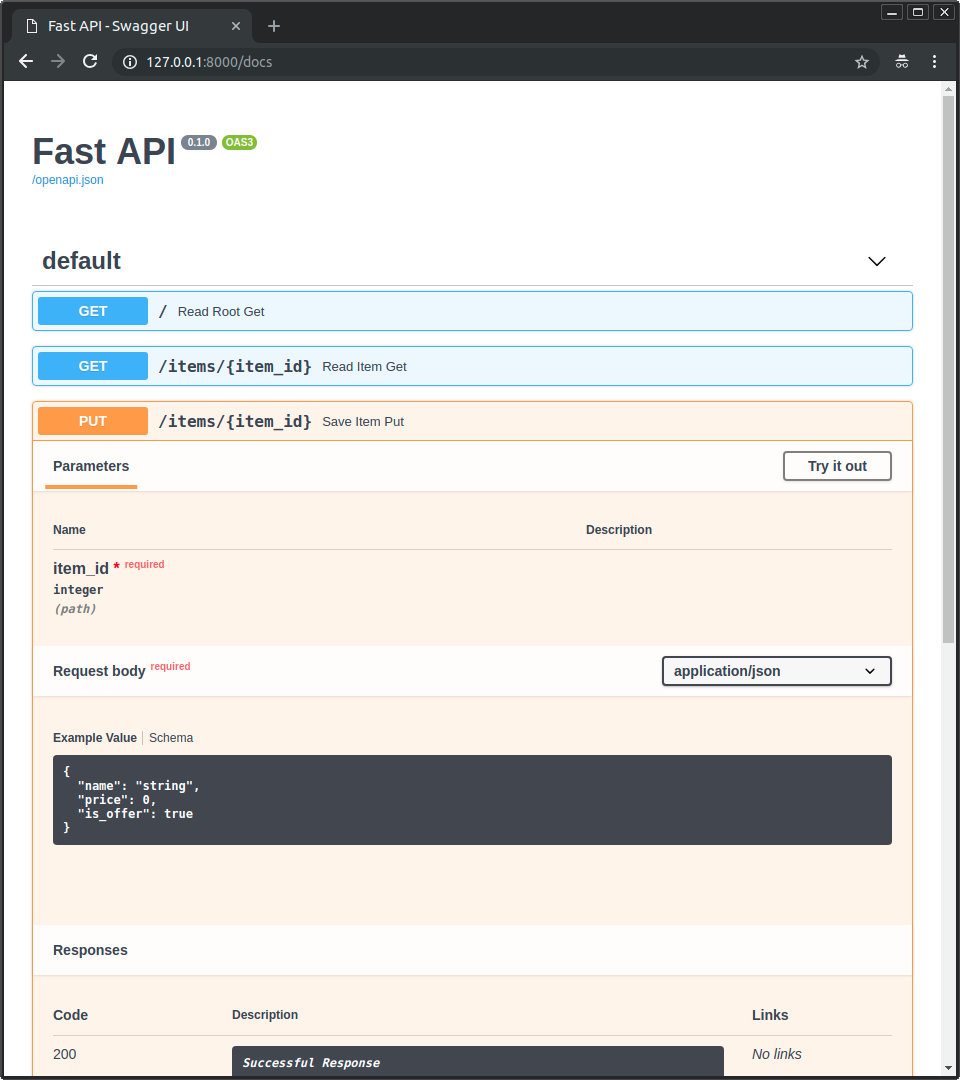
docs/zh/docs/index.md
 * 点击「Try it out」按钮,它允许你填写参数并直接与 API 交互: 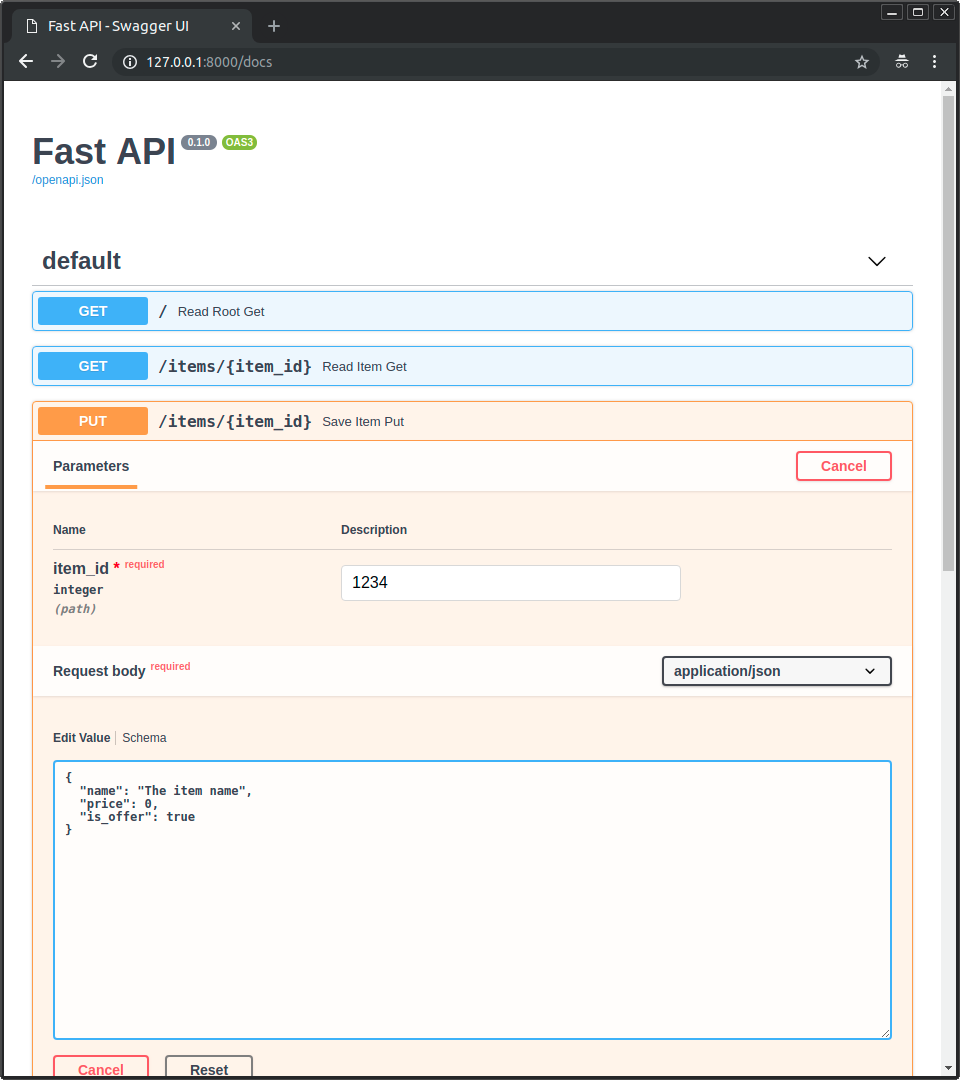 * 然后点击「Execute」按钮,界面会与你的 API 通信、发送参数、获取结果并在屏幕上展示: 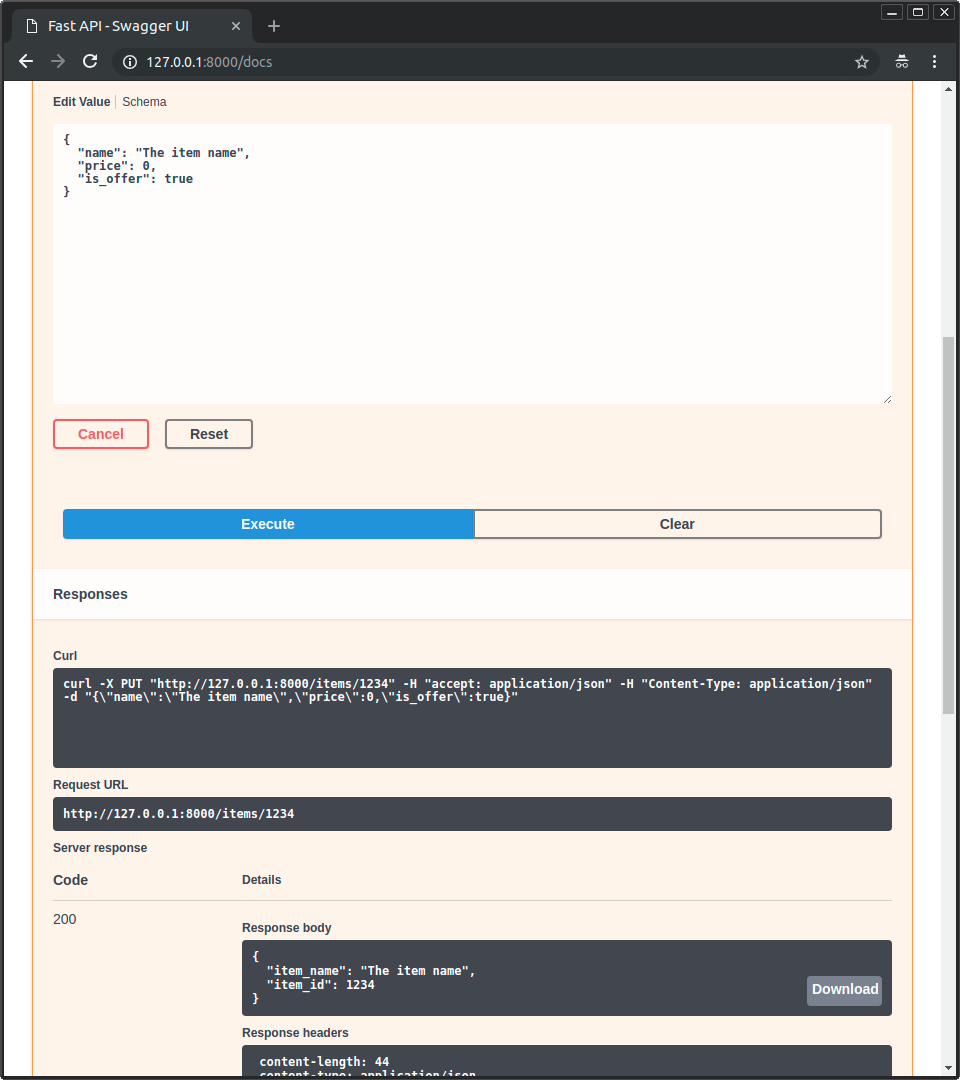 ### 可选文档升级 { #alternative-api-docs-upgrade }Created: Sun Apr 05 07:19:11 GMT 2026 - Last Modified: Fri Mar 20 17:06:37 GMT 2026 - 20.7K bytes - Click Count (0)