- Sort Score
- Num 10 results
- Language All
Results 181 - 190 of 243 for interactiva (0.07 seconds)
-
docs/en/docs/tutorial/response-model.md
When you see the automatic docs, you can check that the input model and output model will both have their own JSON Schema:

<img src="/img/tutorial/response-model/image01.png">

And both models will be used for the interactive API documentation:

<img src="/img/tutorial/response-model/image02.png">

## Other Return Type Annotations { #other-return-type-annotations }
Created: Sun Apr 05 07:19:11 GMT 2026 - Last Modified: Thu Mar 05 18:13:19 GMT 2026 - 15.5K bytes - Click Count (0) -
docs/ko/docs/tutorial/first-steps.md
### 확인하기 { #check-it }

브라우저로 [http://127.0.0.1:8000](http://127.0.0.1:8000)를 여세요.

아래와 같은 JSON 응답을 볼 수 있습니다:

```JSON
{"message": "Hello World"}
```

### 대화형 API 문서 { #interactive-api-docs }

이제 [http://127.0.0.1:8000/docs](http://127.0.0.1:8000/docs)로 가봅니다.

자동 대화형 API 문서를 볼 수 있습니다 ([Swagger UI](https://github.com/swagger-api/swagger-ui) 제공):
Created: Sun Apr 05 07:19:11 GMT 2026 - Last Modified: Fri Mar 20 14:06:26 GMT 2026 - 15K bytes - Click Count (0) -
docs/pt/docs/tutorial/response-model.md
Created: Sun Apr 05 07:19:11 GMT 2026 - Last Modified: Thu Mar 19 18:20:43 GMT 2026 - 16.7K bytes - Click Count (0) -
docs/pt/docs/tutorial/security/simple-oauth2.md
Esse é o benefício dos padrões...

///

## Veja em ação { #see-it-in-action }

Abra o docs interativo: [http://127.0.0.1:8000/docs](http://127.0.0.1:8000/docs).

### Autentique-se { #authenticate }

Clique no botão "Authorize".

Use as credenciais:

User: `johndoe`

Password: `secret`
Created: Sun Apr 05 07:19:11 GMT 2026 - Last Modified: Thu Mar 19 18:20:43 GMT 2026 - 10.2K bytes - Click Count (0) -
src/main/java/org/codelibs/fess/app/web/admin/searchlist/AdminSearchlistAction.java
    // ===================================================================================
    // Attribute
    // =========

    /** Client for interacting with the search engine. */
    @Resource
    protected SearchEngineClient searchEngineClient;

    /** Helper for building and parsing search queries. */
    @Resource
    protected QueryHelper queryHelper;
Created: Tue Mar 31 13:07:34 GMT 2026 - Last Modified: Sat Mar 28 06:38:39 GMT 2026 - 25.5K bytes - Click Count (1) -
docs/bigdata/README.md
HDFS atomic rename functionality to complete writing data to the datastore. Object storage operations are atomic by nature and they do not require/implement rename API. The default S3A committer emulates renames through copy and delete APIs. This interaction pattern causes significant loss of performance because of the write amplification. _Netflix_, for example, developed two new staging committers - the Directory staging committer and the Partitioned staging committer - to take full advantage of native...
Created: Sun Apr 05 19:28:12 GMT 2026 - Last Modified: Tue Aug 12 18:20:36 GMT 2025 - 14.7K bytes - Click Count (0) -
docs/fr/docs/tutorial/response-model.md
Created: Sun Apr 05 07:19:11 GMT 2026 - Last Modified: Thu Mar 19 18:37:13 GMT 2026 - 18.1K bytes - Click Count (0) -
docs/en/docs/deployment/https.md
The first part of the communication is just to establish the connection between the client and the server and to decide the cryptographic keys they will use, etc.

<img src="/img/deployment/https/https02.drawio.svg">

This interaction between the client and the server to establish the TLS connection is called the **TLS handshake**.

### TLS with SNI Extension { #tls-with-sni-extension }
Created: Sun Apr 05 07:19:11 GMT 2026 - Last Modified: Thu Mar 05 18:13:19 GMT 2026 - 14K bytes - Click Count (0) -
src/main/java/org/codelibs/fess/app/service/ElevateWordService.java
    @Resource
    protected LabelTypeBhv labelTypeBhv;

    /** Configuration settings for Fess application */
    @Resource
    protected FessConfig fessConfig;

    /** Client for interacting with the search engine */
    @Resource
    protected SearchEngineClient searchEngineClient;

    /**
     * Retrieves a paginated list of elevate words based on the provided pager criteria.
     *
Created: Tue Mar 31 13:07:34 GMT 2026 - Last Modified: Fri Nov 28 16:29:12 GMT 2025 - 18.3K bytes - Click Count (0) -
docs/zh/docs/features.md
### 自动生成文档 { #automatic-docs } 交互式 API 文档以及具探索性 web 界面。因为该框架是基于 OpenAPI,所以有很多可选项,FastAPI 默认自带两个交互式 API 文档。 * [**Swagger UI**](https://github.com/swagger-api/swagger-ui),可交互式操作,能在浏览器中直接调用和测试你的 API。 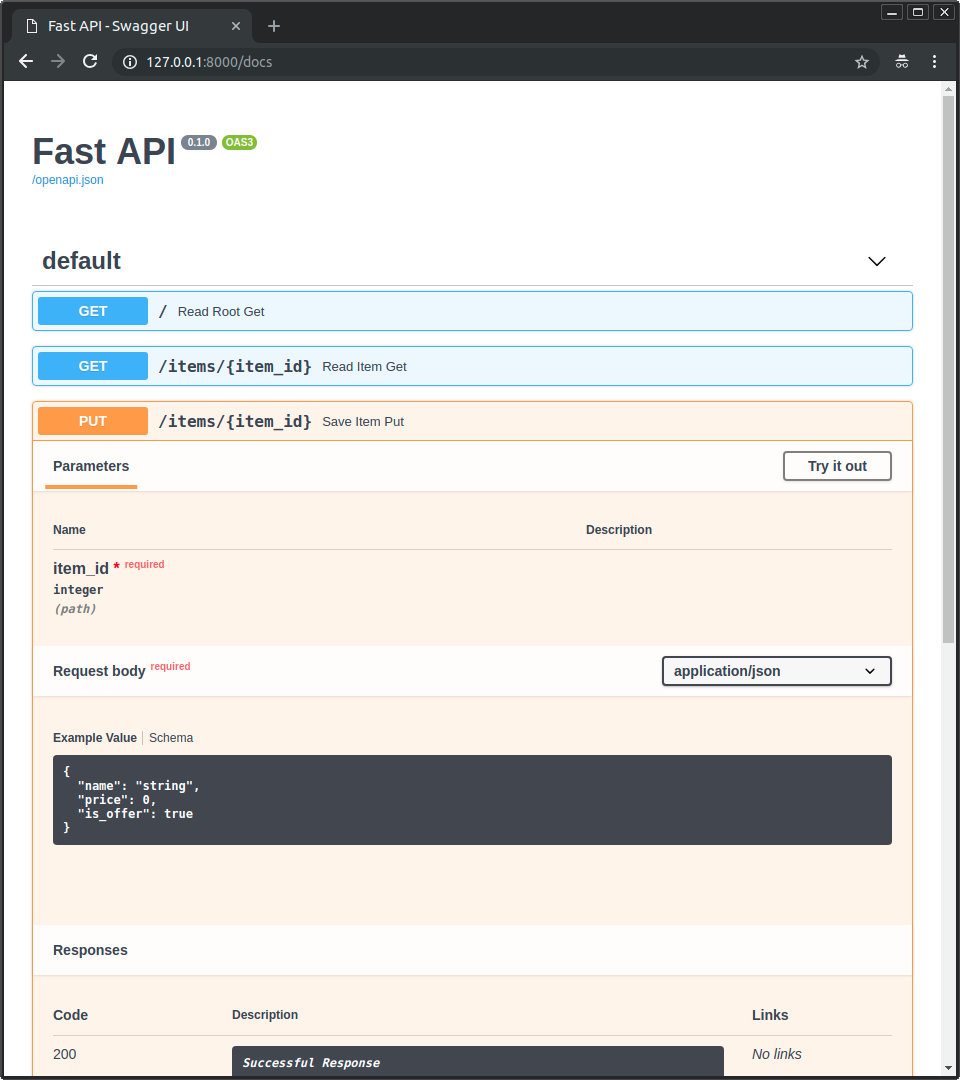 * 另外的 API 文档:[**ReDoc**](https://github.com/Rebilly/ReDoc) 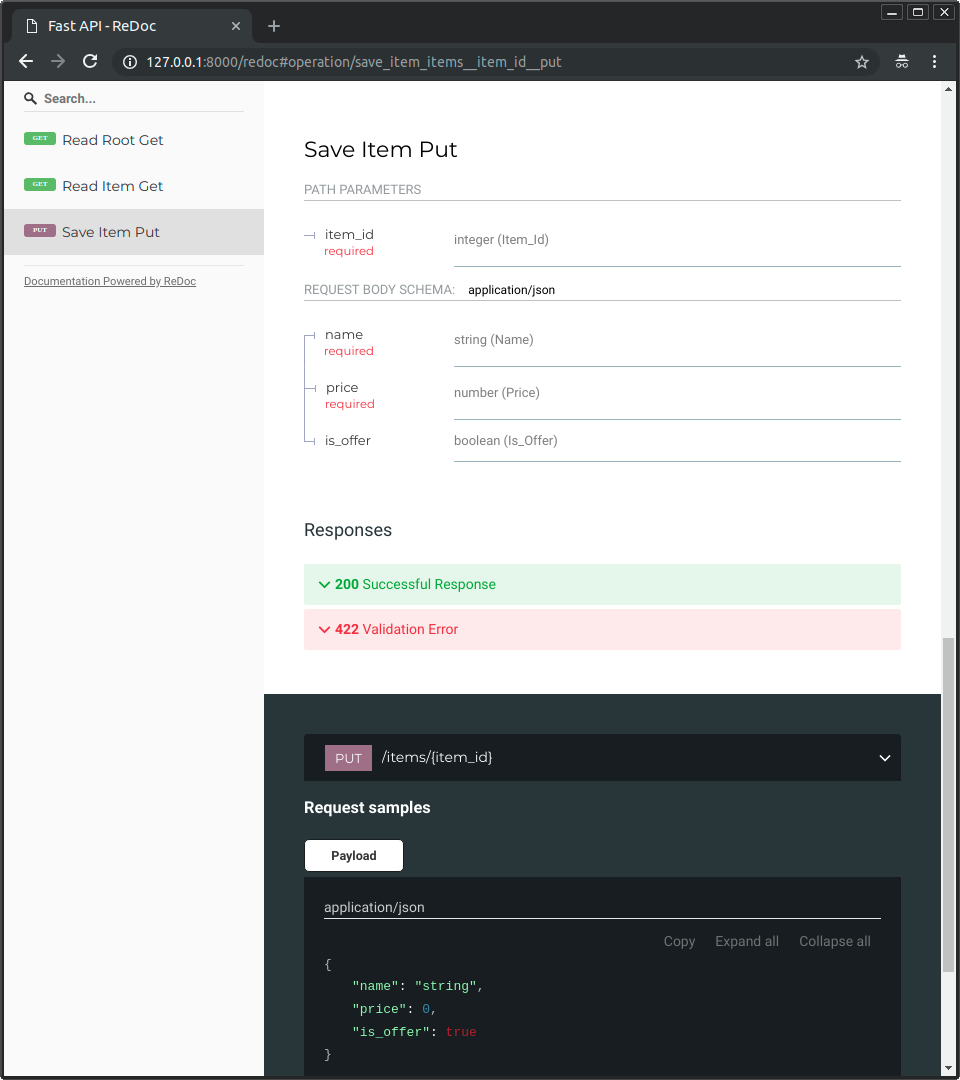Created: Sun Apr 05 07:19:11 GMT 2026 - Last Modified: Fri Mar 20 17:06:37 GMT 2026 - 8.7K bytes - Click Count (0)