- Sort Score
- Num 10 results
- Language All
Results 1811 - 1820 of 1,943 for Responses (0.05 seconds)
-
docs/ja/docs/advanced/async-tests.md
///

次に、アプリを渡して `AsyncClient` を作成し、`await` を使って非同期リクエストを送信できます。

{* ../../docs_src/async_tests/app_a_py310/test_main.py hl[9:12] *}

これは次と同等です:

```Python
response = client.get('/')
```

...これまでは `TestClient` でリクエストを送っていました。

/// tip | 豆知識

新しい `AsyncClient` では async/await を使っている点に注意してください。リクエストは非同期です。

///

/// warning | 注意
Created: Sun Apr 05 07:19:11 GMT 2026 - Last Modified: Fri Mar 20 14:07:17 GMT 2026 - 4.5K bytes - Click Count (0) -
docs/de/docs/deployment/concepts.md
<img src="/img/deployment/concepts/process-ram.drawio.svg">
Created: Sun Apr 05 07:19:11 GMT 2026 - Last Modified: Thu Mar 19 17:58:09 GMT 2026 - 21.4K bytes - Click Count (0) -
docs/de/docs/index.md
### Es testen { #check-it }

Öffnen Sie Ihren Browser unter [http://127.0.0.1:8000/items/5?q=somequery](http://127.0.0.1:8000/items/5?q=somequery).

Sie sehen die JSON-<abbr title="Response - Antwort: Daten, die der Server zum anfragenden Client zurücksendet">Response</abbr> als:

```JSON
{"item_id": 5, "q": "somequery"}
```

Sie haben bereits eine API erstellt, welche:
Created: Sun Apr 05 07:19:11 GMT 2026 - Last Modified: Thu Mar 19 17:58:09 GMT 2026 - 23.6K bytes - Click Count (1) -
docs/ko/docs/deployment/https.md
<img src="/img/deployment/https/https05.drawio.svg">

### HTTP 응답 { #http-response }

애플리케이션은 요청을 처리하고 **일반(암호화되지 않은) HTTP 응답**을 TLS Termination Proxy로 보냅니다.

<img src="/img/deployment/https/https06.drawio.svg">

### HTTPS 응답 { #https-response }

그 다음 TLS Termination Proxy는 이전에 합의한 암호화( `someapp.example.com` 인증서로 시작된 것)를 사용해 **응답을 암호화**하고, 브라우저로 다시 보냅니다.
Created: Sun Apr 05 07:19:11 GMT 2026 - Last Modified: Fri Mar 20 14:06:26 GMT 2026 - 15.9K bytes - Click Count (0) -
src/main/resources/fess_label.properties
labels.start=Start
labels.loginRequired=Login Required
labels.loginLink=Show Login Link
labels.threadName=Thread Name
labels.url=URL
labels.userFavorite=Favorite Log
labels.userInfo=User Info
labels.webApiJson=JSON Response
labels.webConfigName=Web Crawl Config Name
labels.allLanguages=All Languages
labels.dictId=Dictionary ID
labels.docId=Document ID
labels.endTime=End Time
labels.hq=hq
labels.inputs=Inputs
Created: Tue Mar 31 13:07:34 GMT 2026 - Last Modified: Sat Mar 28 11:54:13 GMT 2026 - 48.9K bytes - Click Count (0) -
docs/ru/docs/tutorial/extra-models.md
Для этого используйте стандартный `list` в Python:

{* ../../docs_src/extra_models/tutorial004_py310.py hl[18] *}

## Ответ с произвольным `dict` { #response-with-arbitrary-dict }

Вы также можете объявить HTTP-ответ, используя обычный произвольный `dict`, объявив только тип ключей и значений, без использования Pydantic-модели.
Created: Sun Apr 05 07:19:11 GMT 2026 - Last Modified: Thu Mar 19 17:56:20 GMT 2026 - 10.7K bytes - Click Count (0) -
docs/ko/docs/how-to/separate-openapi-schemas.md
{* ../../docs_src/separate_openapi_schemas/tutorial001_py310.py hl[19] *}

...`description`에 기본값이 있기 때문에, 그 필드에 대해 **아무것도 반환하지 않더라도** 여전히 그 **기본값**이 들어가게 됩니다.

### 출력 응답 데이터용 모델 { #model-for-output-response-data }

문서에서 직접 동작시켜 응답을 확인해 보면, 코드가 `description` 필드 중 하나에 아무것도 추가하지 않았더라도 JSON 응답에는 기본값(`null`)이 포함되어 있습니다:

<div class="screenshot">
<img src="/img/tutorial/separate-openapi-schemas/image02.png">
</div>
Created: Sun Apr 05 07:19:11 GMT 2026 - Last Modified: Sat Feb 14 08:57:01 GMT 2026 - 5.3K bytes - Click Count (0) -
docs/pt/docs/tutorial/extra-models.md
Da mesma forma, você pode declarar respostas de listas de objetos.

Para isso, use o padrão Python `list`:

{* ../../docs_src/extra_models/tutorial004_py310.py hl[18] *}

## Resposta com `dict` arbitrário { #response-with-arbitrary-dict }

Você também pode declarar uma resposta usando um simples `dict` arbitrário, declarando apenas o tipo das chaves e valores, sem usar um modelo Pydantic.
Created: Sun Apr 05 07:19:11 GMT 2026 - Last Modified: Thu Mar 19 18:20:43 GMT 2026 - 7.1K bytes - Click Count (0) -
src/test/java/org/codelibs/fess/exception/SsoProcessExceptionTest.java
        // Test throwing and catching the exception with cause
        String expectedMessage = "SAML assertion validation failed";
        Exception expectedCause = new IllegalStateException("Invalid SAML response");

        try {
            throw new SsoProcessException(expectedMessage, expectedCause);
        } catch (SsoProcessException e) {
            assertEquals(expectedMessage, e.getMessage());
Created: Tue Mar 31 13:07:34 GMT 2026 - Last Modified: Sun Jan 11 08:43:05 GMT 2026 - 13.8K bytes - Click Count (0) -
docs/bucket/replication/README.md
can be viewed by doing a GET/HEAD on the object version - it will return a `X-Minio-Replication-DeleteMarker-Status` header and http response code of `405`. In the case of permanent deletes, if the delete replication is pending or failed to propagate to the target cluster, GET/HEAD will return additional `X-Minio-Replication-Delete-Status` header and a http response code of `405`. 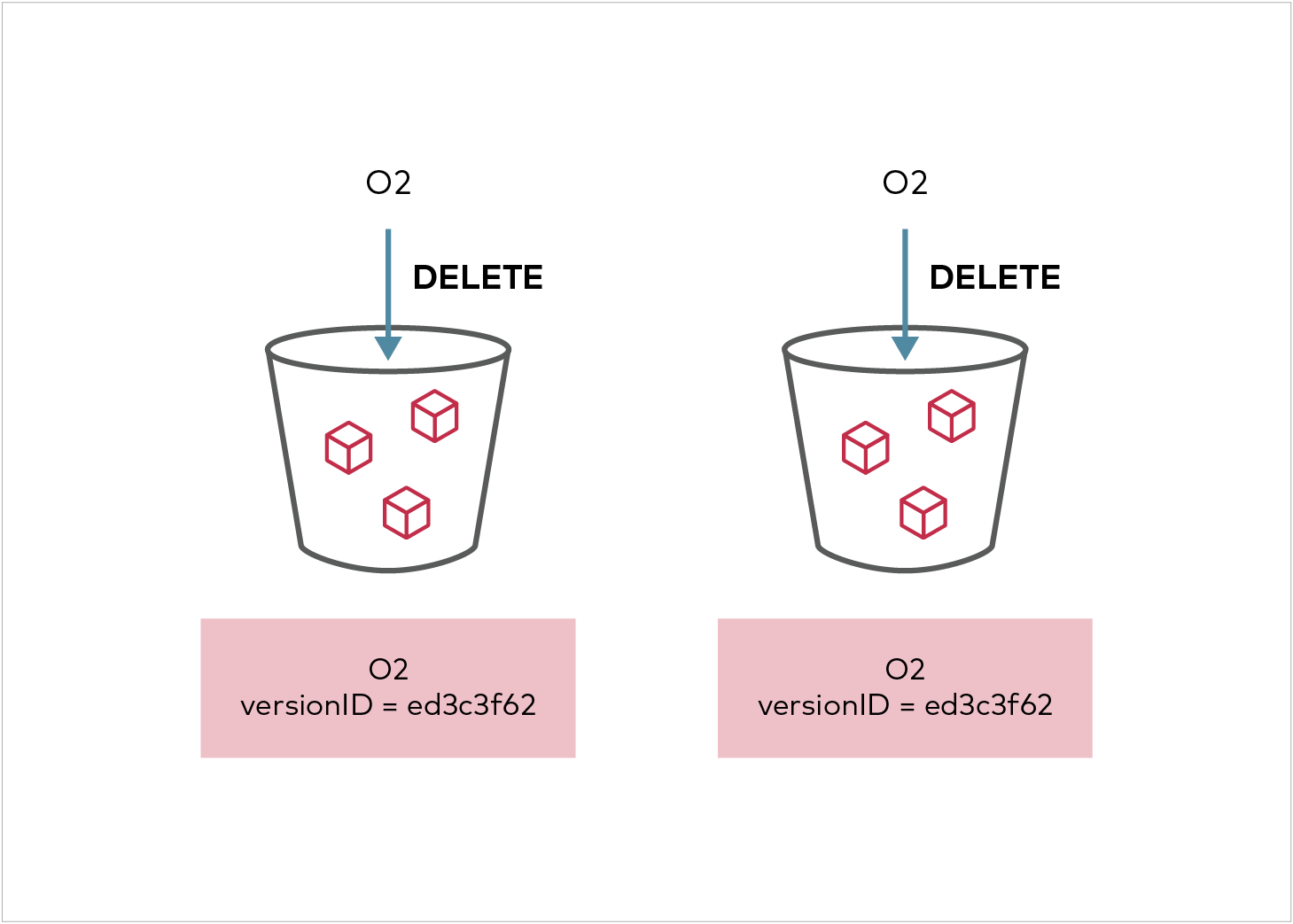...
Created: Sun Apr 05 19:28:12 GMT 2026 - Last Modified: Tue Aug 12 18:20:36 GMT 2025 - 18.3K bytes - Click Count (0)