- Sort Score
- Num 10 results
- Language All
Results 1501 - 1510 of 7,525 for hTTP (0.02 seconds)
The search processing time has exceeded the limit. The displayed results may be partial.
-
api/maven-api-di/src/main/java/org/apache/maven/api/di/Inject.java
 * to you under the Apache License, Version 2.0 (the
 * "License"); you may not use this file except in compliance
 * with the License.  You may obtain a copy of the License at
 *
 *   http://www.apache.org/licenses/LICENSE-2.0
 *
 * Unless required by applicable law or agreed to in writing,
 * software distributed under the License is distributed on an
 * "AS IS" BASIS, WITHOUT WARRANTIES OR CONDITIONS OF ANY
Created: Sun Apr 05 03:35:12 GMT 2026 - Last Modified: Thu Jan 30 23:28:59 GMT 2025 - 1.9K bytes - Click Count (0) -
compat/maven-model-builder/src/main/java/org/apache/maven/model/plugin/DefaultReportConfigurationExpander.java
 * to you under the Apache License, Version 2.0 (the
 * "License"); you may not use this file except in compliance
 * with the License.  You may obtain a copy of the License at
 *
 *   http://www.apache.org/licenses/LICENSE-2.0
 *
 * Unless required by applicable law or agreed to in writing,
 * software distributed under the License is distributed on an
 * "AS IS" BASIS, WITHOUT WARRANTIES OR CONDITIONS OF ANY
Created: Sun Apr 05 03:35:12 GMT 2026 - Last Modified: Tue Feb 25 08:27:34 GMT 2025 - 2.3K bytes - Click Count (0) -
compat/maven-compat/src/test/java/org/apache/maven/toolchain/RequirementMatcherFactoryTest.java
 * to you under the Apache License, Version 2.0 (the
 * "License"); you may not use this file except in compliance
 * with the License.  You may obtain a copy of the License at
 *
 *   http://www.apache.org/licenses/LICENSE-2.0
 *
 * Unless required by applicable law or agreed to in writing,
 * software distributed under the License is distributed on an
 * "AS IS" BASIS, WITHOUT WARRANTIES OR CONDITIONS OF ANY
Created: Sun Apr 05 03:35:12 GMT 2026 - Last Modified: Tue Feb 11 12:33:57 GMT 2025 - 2.3K bytes - Click Count (0) -
impl/maven-core/src/main/java/org/apache/maven/lifecycle/internal/LifecycleTaskSegmentCalculator.java
 * to you under the Apache License, Version 2.0 (the
 * "License"); you may not use this file except in compliance
 * with the License.  You may obtain a copy of the License at
 *
 *   http://www.apache.org/licenses/LICENSE-2.0
 *
 * Unless required by applicable law or agreed to in writing,
 * software distributed under the License is distributed on an
 * "AS IS" BASIS, WITHOUT WARRANTIES OR CONDITIONS OF ANY
Created: Sun Apr 05 03:35:12 GMT 2026 - Last Modified: Fri Oct 25 12:31:46 GMT 2024 - 2.5K bytes - Click Count (0) -
docs/bigdata/README.md
- [Deployment based on MinIO Helm Chart](https://github.com/helm/charts/tree/master/stable/minio) ## **3. Configure Hadoop, Spark, Hive to use MinIO** After successful installation navigate to the Ambari UI `http://<ambari-server>:8080/` and login using the default credentials: [**_username: admin, password: admin_**] 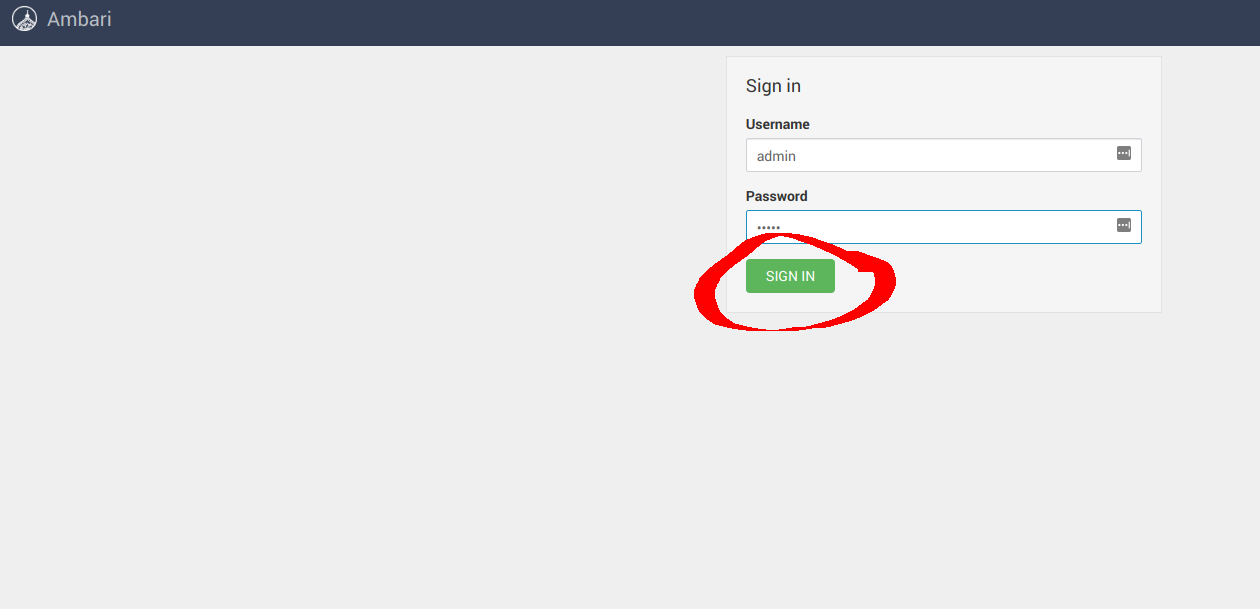
Created: Sun Apr 05 19:28:12 GMT 2026 - Last Modified: Tue Aug 12 18:20:36 GMT 2025 - 14.7K bytes - Click Count (0) -
README.md
Point a web browser running on the host machine to <http://127.0.0.1:9000> and log in with the root credentials.
You can use the Browser to create buckets, upload objects, and browse the contents of the MinIO server.

You can also connect using any S3-compatible tool, such as the MinIO Client `mc` commandline tool:

```sh
mc alias set local http://localhost:9000 minioadmin minioadmin
mc admin info local
```
Created: Sun Apr 05 19:28:12 GMT 2026 - Last Modified: Thu Feb 12 20:18:48 GMT 2026 - 8.8K bytes - Click Count (0) -
src/main/java/org/codelibs/fess/app/web/admin/maintenance/ActionForm.java
 *
 * Licensed under the Apache License, Version 2.0 (the "License");
 * you may not use this file except in compliance with the License.
 * You may obtain a copy of the License at
 *
 *     http://www.apache.org/licenses/LICENSE-2.0
 *
 * Unless required by applicable law or agreed to in writing, software
 * distributed under the License is distributed on an "AS IS" BASIS,
 * WITHOUT WARRANTIES OR CONDITIONS OF ANY KIND,
Created: Tue Mar 31 13:07:34 GMT 2026 - Last Modified: Thu Mar 26 14:36:23 GMT 2026 - 2K bytes - Click Count (0) -
src/main/java/org/codelibs/fess/exception/SsoProcessException.java
 *
 * Licensed under the Apache License, Version 2.0 (the "License");
 * you may not use this file except in compliance with the License.
 * You may obtain a copy of the License at
 *
 *     http://www.apache.org/licenses/LICENSE-2.0
 *
 * Unless required by applicable law or agreed to in writing, software
 * distributed under the License is distributed on an "AS IS" BASIS,
 * WITHOUT WARRANTIES OR CONDITIONS OF ANY KIND,
Created: Tue Mar 31 13:07:34 GMT 2026 - Last Modified: Wed Nov 19 08:04:23 GMT 2025 - 1.9K bytes - Click Count (0) -
src/test/java/org/codelibs/fess/dict/stemmeroverride/StemmerOverrideItemTest.java
 *
 * Licensed under the Apache License, Version 2.0 (the "License");
 * you may not use this file except in compliance with the License.
 * You may obtain a copy of the License at
 *
 *     http://www.apache.org/licenses/LICENSE-2.0
 *
 * Unless required by applicable law or agreed to in writing, software
 * distributed under the License is distributed on an "AS IS" BASIS,
 * WITHOUT WARRANTIES OR CONDITIONS OF ANY KIND,
Created: Tue Mar 31 13:07:34 GMT 2026 - Last Modified: Sun Jan 11 08:43:05 GMT 2026 - 2.6K bytes - Click Count (0) -
build-logic/binary-compatibility/src/main/groovy/gradlebuild/binarycompatibility/rules/KotlinModifiersBreakingChangeRule.groovy
 *
 * Licensed under the Apache License, Version 2.0 (the "License");
 * you may not use this file except in compliance with the License.
 * You may obtain a copy of the License at
 *
 *      http://www.apache.org/licenses/LICENSE-2.0
 *
 * Unless required by applicable law or agreed to in writing, software
 * distributed under the License is distributed on an "AS IS" BASIS,
Created: Wed Apr 01 11:36:16 GMT 2026 - Last Modified: Thu Oct 06 19:15:15 GMT 2022 - 2.4K bytes - Click Count (0)