- Sort Score
- Num 10 results
- Language All
Results 1 - 10 of 45 for Lchown (0.04 seconds)
-
api/go1.25.txt
pkg net/http, type CrossOriginProtection struct #73626
pkg os, method (*Root) Chmod(string, fs.FileMode) error #67002
pkg os, method (*Root) Chown(string, int, int) error #67002
pkg os, method (*Root) Chtimes(string, time.Time, time.Time) error #67002
pkg os, method (*Root) Lchown(string, int, int) error #67002
pkg os, method (*Root) Link(string, string) error #67002
pkg os, method (*Root) MkdirAll(string, fs.FileMode) error #67002
Created: Tue Dec 30 11:13:12 GMT 2025 - Last Modified: Mon Jun 02 16:09:57 GMT 2025 - 6.8K bytes - Click Count (0) -
lib/wasm/wasm_exec.js
				}
				const n = this.writeSync(fd, buf);
				callback(null, n);
			},
			chmod(path, mode, callback) { callback(enosys()); },
			chown(path, uid, gid, callback) { callback(enosys()); },
			close(fd, callback) { callback(enosys()); },
			fchmod(fd, mode, callback) { callback(enosys()); },
			fchown(fd, uid, gid, callback) { callback(enosys()); },
			fstat(fd, callback) { callback(enosys()); },
			fsync(fd, callback) { callback(null); },
Created: Tue Dec 30 11:13:12 GMT 2025 - Last Modified: Sun Dec 08 15:34:47 GMT 2024 - 16.6K bytes - Click Count (0) -
fastapi/openapi/docs.py
Created: Sun Dec 28 07:19:09 GMT 2025 - Last Modified: Wed Dec 17 21:25:59 GMT 2025 - 10.1K bytes - Click Count (0) -
docs/en/docs/how-to/extending-openapi.md
* `title`: The OpenAPI title, shown in the docs.
* `version`: The version of your API, e.g. `2.5.0`.
* `openapi_version`: The version of the OpenAPI specification used. By default, the latest: `3.1.0`.
* `summary`: A short summary of the API.
* `description`: The description of your API, this can include markdown and will be shown in the docs.
Created: Sun Dec 28 07:19:09 GMT 2025 - Last Modified: Wed Dec 17 20:41:43 GMT 2025 - 3.4K bytes - Click Count (0) -
docs/bucket/versioning/README.md
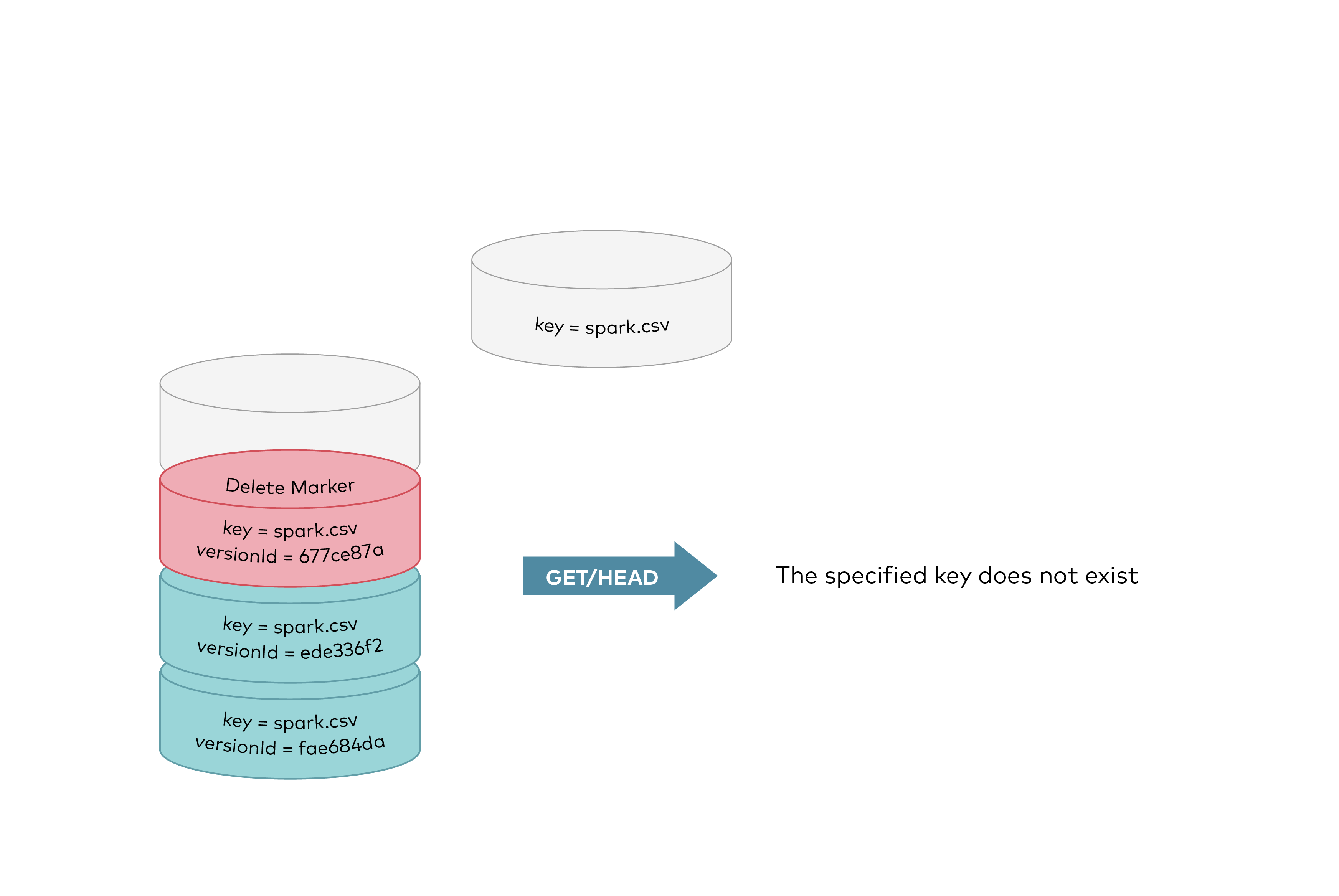 GET requests by specifying a version ID as shown below, you can retrieve the specific object version `fae684da`.
Created: Sun Dec 28 19:28:13 GMT 2025 - Last Modified: Tue Aug 12 18:20:36 GMT 2025 - 12K bytes - Click Count (0) -
docs/bigdata/README.md
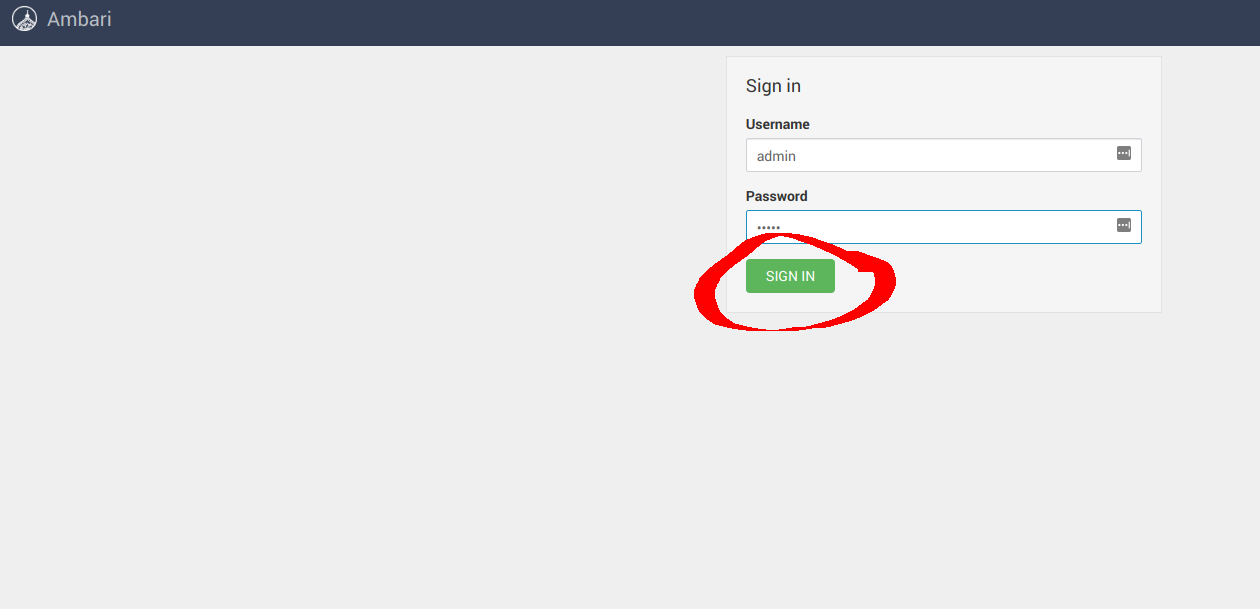 ### **3.1 Configure Hadoop** Navigate to **Services** -> **HDFS** -> **CONFIGS** -> **ADVANCED** as shown below 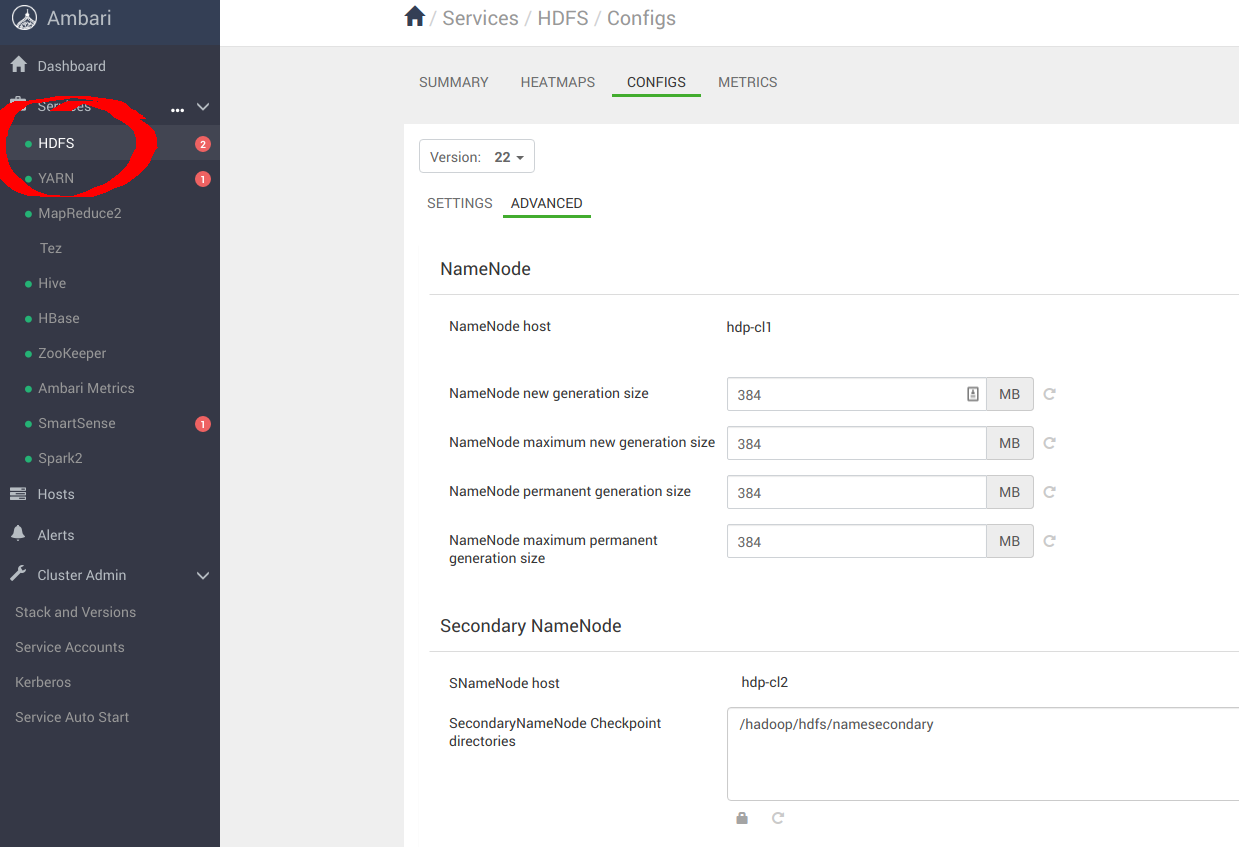 Navigate to **Custom core-site** to configure MinIO parameters for `_s3a_` connector
Created: Sun Dec 28 19:28:13 GMT 2025 - Last Modified: Tue Aug 12 18:20:36 GMT 2025 - 14.7K bytes - Click Count (0) -
docs/en/docs/tutorial/metadata.md
{* ../../docs_src/metadata/tutorial004_py39.py hl[3:16,18] *}

Notice that you can use Markdown inside of the descriptions, for example "login" will be shown in bold (**login**) and "fancy" will be shown in italics (_fancy_).

/// tip

You don't have to add metadata for all the tags that you use.

///

### Use your tags { #use-your-tags }
Created: Sun Dec 28 07:19:09 GMT 2025 - Last Modified: Wed Dec 17 20:41:43 GMT 2025 - 5.9K bytes - Click Count (0) -
docs/logging/README.md
```

NOTE: `http://endpoint:port/path` is a placeholder value to indicate the URL format, please change this accordingly as per your configuration.

MinIO also honors environment variable for HTTP target logging as shown below, this setting will override the endpoint settings in the MinIO server config.

```
export MINIO_LOGGER_WEBHOOK_ENABLE_target1="on"
export MINIO_LOGGER_WEBHOOK_AUTH_TOKEN_target1="token"
Created: Sun Dec 28 19:28:13 GMT 2025 - Last Modified: Tue Aug 12 18:20:36 GMT 2025 - 10.5K bytes - Click Count (0) -
docs/de/docs/advanced/response-change-status-code.md
# Response – Statuscode ändern { #response-change-status-code }

Sie haben wahrscheinlich schon vorher gelesen, dass Sie einen Default-[Response-Statuscode](../tutorial/response-status-code.md){.internal-link target=_blank} festlegen können.

In manchen Fällen müssen Sie jedoch einen anderen als den Default-Statuscode zurückgeben.

## Anwendungsfall { #use-case }

Stellen Sie sich zum Beispiel vor, Sie möchten standardmäßig den HTTP-Statuscode „OK“ `200` zurückgeben.
Created: Sun Dec 28 07:19:09 GMT 2025 - Last Modified: Wed Dec 17 20:41:43 GMT 2025 - 2K bytes - Click Count (0) -
docs/de/docs/advanced/testing-websockets.md
# WebSockets testen { #testing-websockets }

Sie können den schon bekannten `TestClient` zum Testen von WebSockets verwenden.

Dazu verwenden Sie den `TestClient` in einer `with`-Anweisung, eine Verbindung zum WebSocket herstellend:

{* ../../docs_src/app_testing/tutorial002_py39.py hl[27:31] *}

/// note | Hinweis
Created: Sun Dec 28 07:19:09 GMT 2025 - Last Modified: Wed Dec 17 20:41:43 GMT 2025 - 529 bytes - Click Count (0)