- Sort Score
- Result 10 results
- Languages All
Results 1 - 10 of 20 for png (0.01 sec)
-
docs/bigdata/README.md
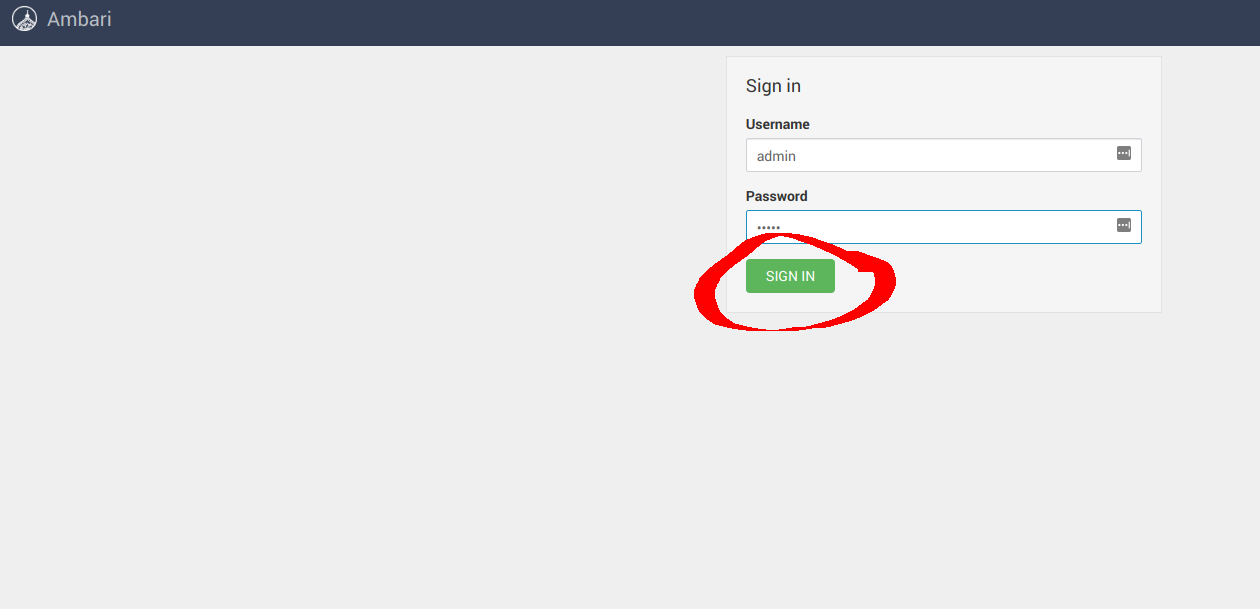 ### **3.1 Configure Hadoop** Navigate to **Services** -> **HDFS** -> **CONFIGS** -> **ADVANCED** as shown below 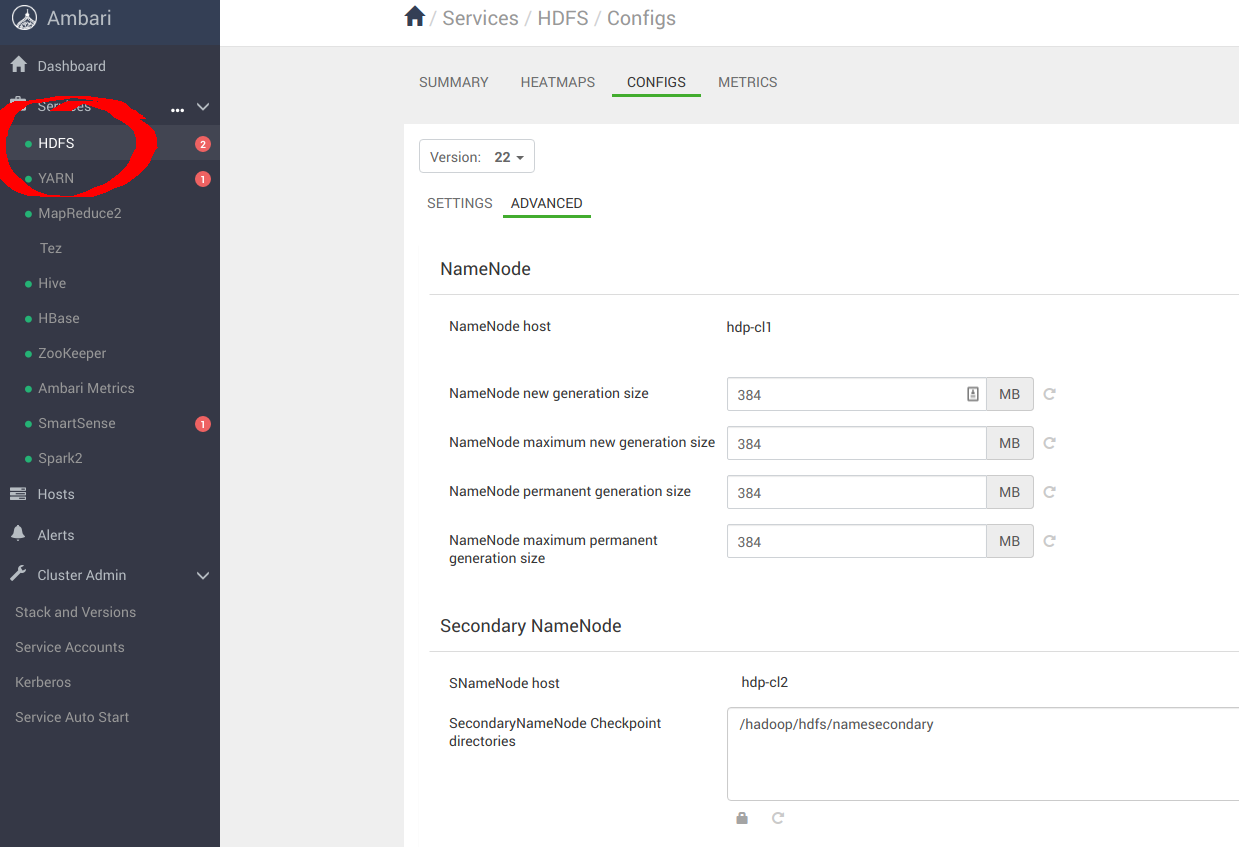
Registered: Sun Dec 28 19:28:13 UTC 2025 - Last Modified: Tue Aug 12 18:20:36 UTC 2025 - 14.7K bytes - Viewed (0) -
internal/ringbuffer/README.md
# ringbuffer
Registered: Sun Dec 28 19:28:13 UTC 2025 - Last Modified: Wed May 15 00:11:04 UTC 2024 - 2.1K bytes - Viewed (0) -
docs/fr/README.md
- Interface de recherche : http://localhost:8080/  - Interface d'administration : http://localhost:8080/admin/ (nom d'utilisateur/mot de passe par défaut : admin/admin) 
Registered: Sat Dec 20 09:19:18 UTC 2025 - Last Modified: Tue Nov 11 22:42:32 UTC 2025 - 7.9K bytes - Viewed (0) -
docs/pt-BR/README.md
- Interface de Busca: http://localhost:8080/  - Interface de Administração: http://localhost:8080/admin/ (o nome de usuário/senha padrão é admin/admin) 
Registered: Sat Dec 20 09:19:18 UTC 2025 - Last Modified: Tue Nov 11 22:42:32 UTC 2025 - 7.6K bytes - Viewed (0) -
docs/integrations/veeam/README.md
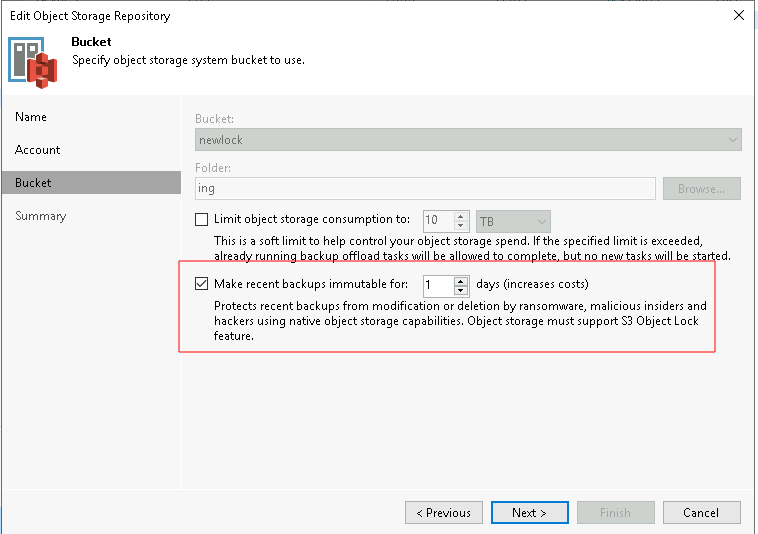 ### Creating the Scale-out Backup Repository - Under the Backup Infrastructure view, click on Scale-out Repositories and click the Add Scale-out Repository button on the ribbon. - Follow the on screen wizard
Registered: Sun Dec 28 19:28:13 UTC 2025 - Last Modified: Tue Aug 12 18:20:36 UTC 2025 - 5.5K bytes - Viewed (0) -
docs/bucket/quota/README.md
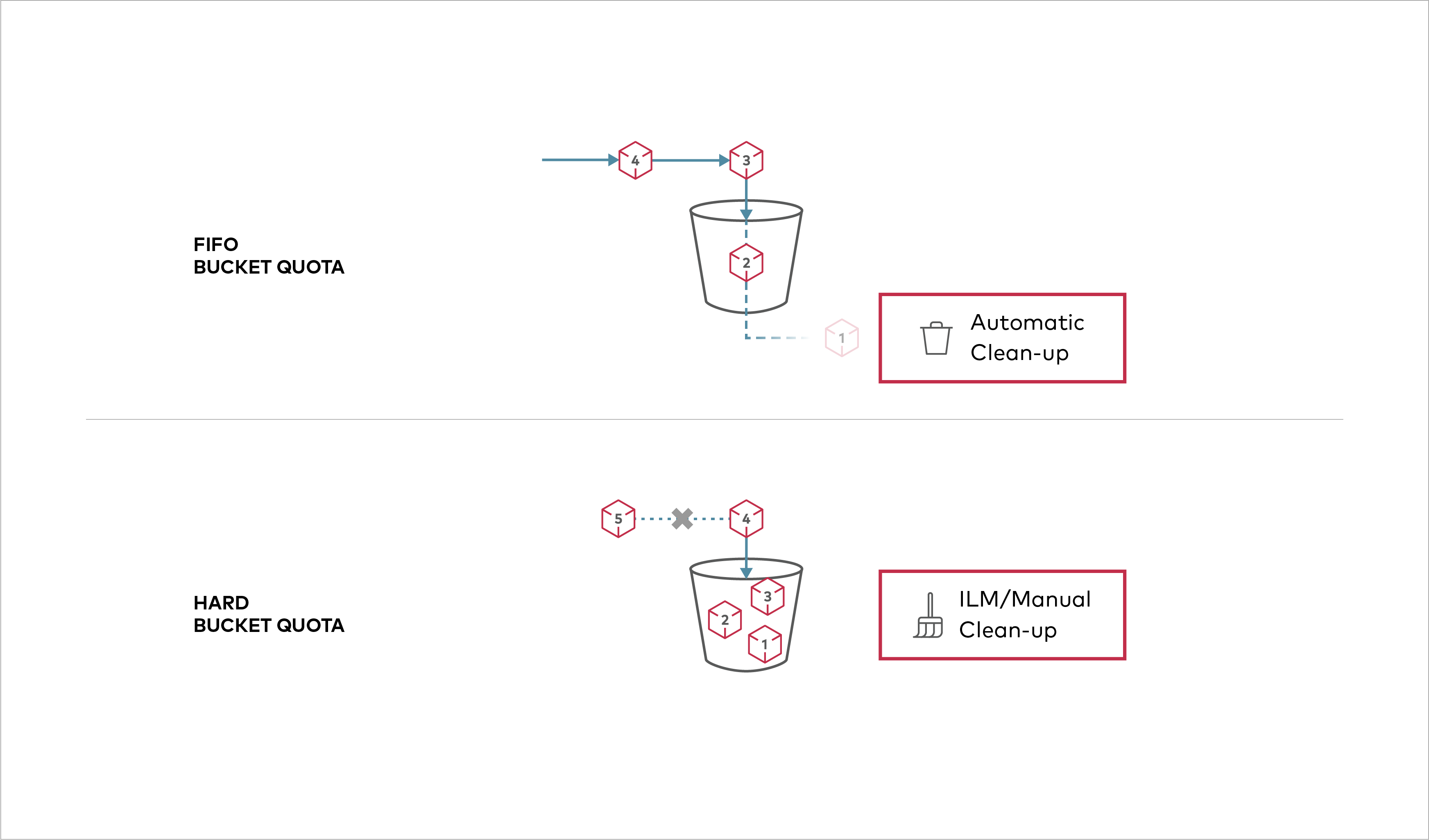 Buckets can be configured to have `Hard` quota - it disallows writes to the bucket after configured quota limit is reached. ## Prerequisites
Registered: Sun Dec 28 19:28:13 UTC 2025 - Last Modified: Tue Aug 12 18:20:36 UTC 2025 - 1.1K bytes - Viewed (0) -
README.md
### Browser UI - Search UI: http://localhost:8080/  - Admin UI: http://localhost:8080/admin/ (default username/password is admin/admin) 
Registered: Sat Dec 20 09:19:18 UTC 2025 - Last Modified: Sat Dec 20 00:28:33 UTC 2025 - 7.8K bytes - Viewed (2) -
docs/metrics/prometheus/grafana/README.md
Node level Replication metrics can be viewed in the Grafana dashboard using [json file here](https://raw.githubusercontent.com/minio/minio/master/docs/metrics/prometheus/grafana/replication/minio-replication-node.json) 
Registered: Sun Dec 28 19:28:13 UTC 2025 - Last Modified: Thu Oct 31 17:38:53 UTC 2024 - 2.4K bytes - Viewed (0) -
docs/de/README.md
- Suchoberfläche: http://localhost:8080/  - Administrationsoberfläche: http://localhost:8080/admin/ (Standard-Benutzername/Passwort ist admin/admin) 
Registered: Sat Dec 20 09:19:18 UTC 2025 - Last Modified: Tue Nov 11 22:42:32 UTC 2025 - 7.8K bytes - Viewed (0) -
docs/zh-CN/README.md
### 浏览器 UI - 搜索 UI: http://localhost:8080/  - 管理 UI: http://localhost:8080/admin/ (默认用户名/密码为 admin/admin)  您可以在管理 UI 的 (Web、文件、数据存储) 爬虫配置页面中注册爬取目标,然后在 [调度器页面](https://fess.codelibs.org/15.3/admin/scheduler-guide.html)手动启动爬虫。 ## 从其他搜索提供商迁移
Registered: Sat Dec 20 09:19:18 UTC 2025 - Last Modified: Tue Nov 11 22:42:32 UTC 2025 - 7K bytes - Viewed (0)